Noodle Gallery for Android
The Noodle Gallery Android app is now live on Google Play — background camera backup, on-device CLIP search, the map, and Shared Spaces, all from your Android device.
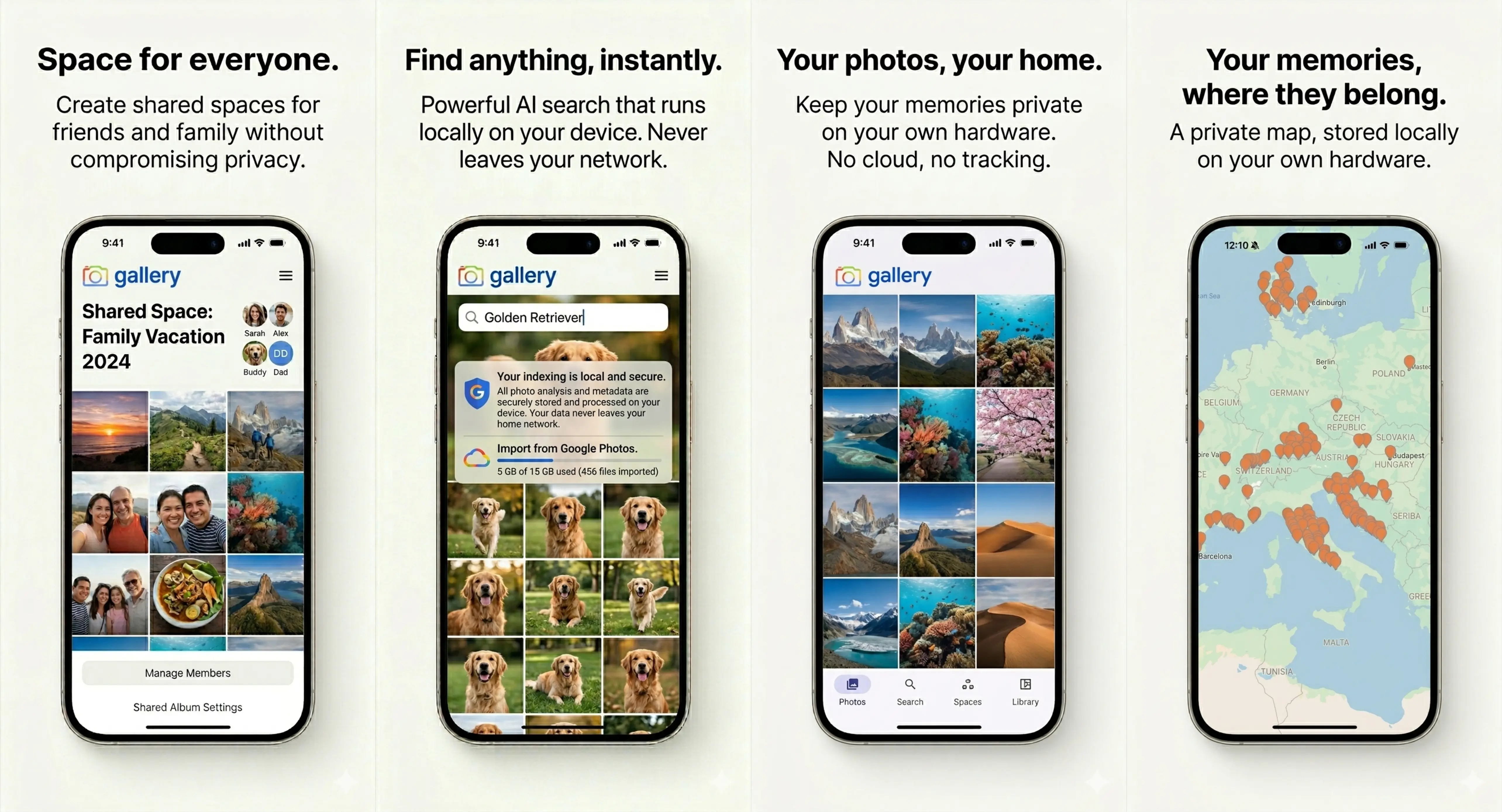
Your photos, your home — now on Android
Noodle Gallery for Android is live on Google Play today. Sign in once with your Gallery server URL and account, and the whole library is on the device: timeline, search, map, spaces, settings. Background camera backup uploads new photos and videos straight to your server as you take them — no Noodle-operated middle layer, no third-party photo bucket, no cloud account to opt out of.
The phone is the window. Your server is still home.
Find anything, instantly — without the cloud
The same CLIP smart search that powers the web library is one tap away. Type a natural language query and the app sends it to your server, your server runs CLIP locally, and the matching photos come back. Indexing, embeddings, and ranking all happen on hardware you control — no Google-side analysis, no Noodle-side inference service.
Shared Spaces on Android
Shared Spaces lets a group keep one shared timeline where every member contributes from their own library. Open a space on Android, see its chronological timeline, browse the people it's shared with, and pull to refresh as new photos land. The same Spaces you use on the web, now in your pocket.
The map, your places, on a private server
Every photo with GPS metadata becomes a marker on the map, clustered as you zoom out. Map tiles are served from your Gallery server, location names come from your server's reverse-geocoding, and marker thumbnails stream from your library. Nothing about where your photos were taken touches a third-party API.
How to install
Find Noodle Gallery on Google Play, sign in with your Gallery server URL and account, and the app does the rest. The iPhone app is also live on the App Store.
Ready to run Gallery on your own server? Install in 5 minutes, keep the demo for a quick check.