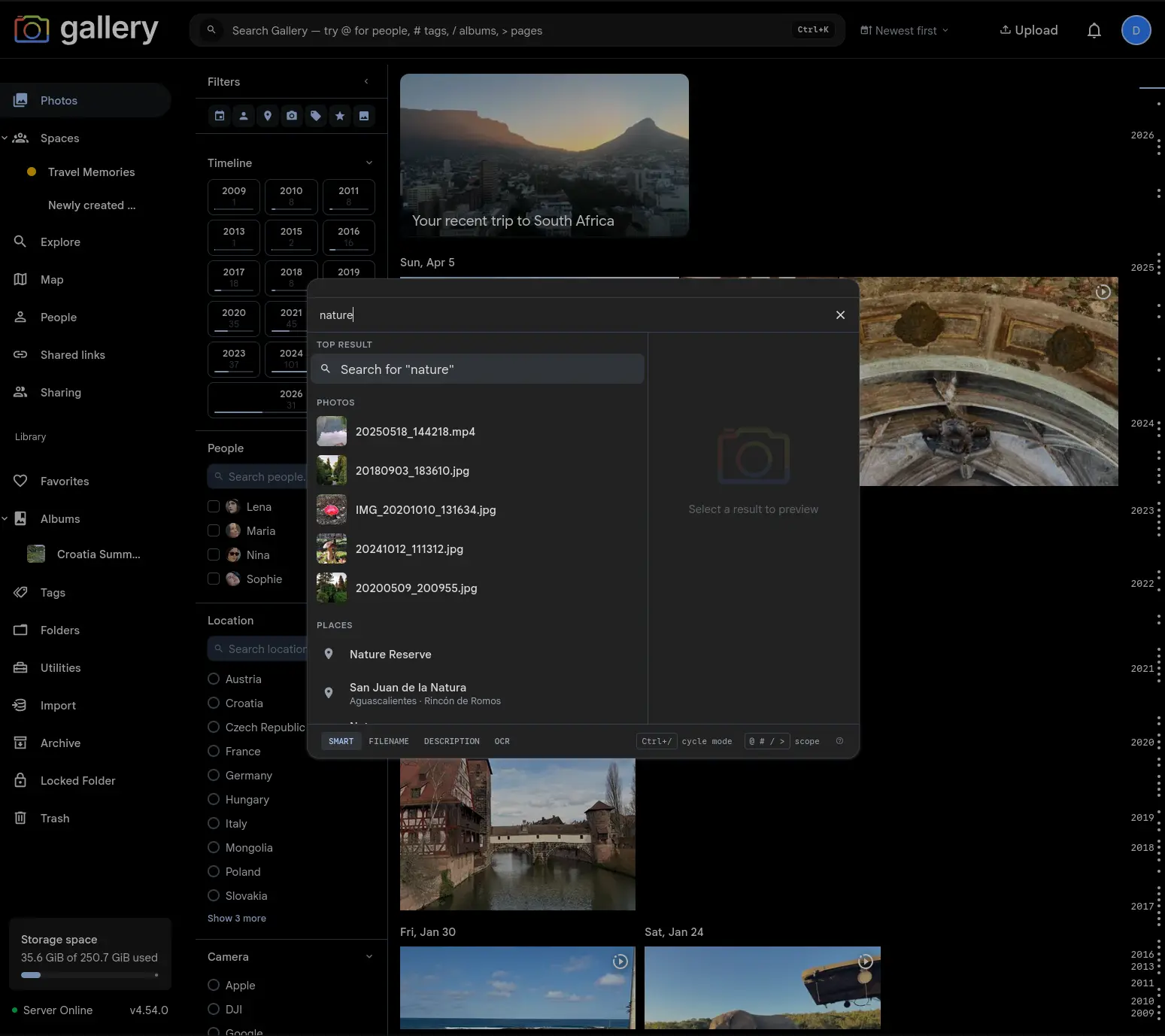
Cmd/Ctrl+K is now the main search surface: one command palette searches your current page, photos, people, places, tags, albums, Spaces, commands and settings.
Gallery's Cmd/Ctrl+K palette started as a fast way to jump to photos, people, places, tags, albums, Spaces, commands and settings pages. It is now the main way to search. The navbar trigger opens it everywhere, with the same keyboard flow whether you start from Photos, a Shared Space, the Map or a settings page.
One habit covers finding and navigating: type a query, arrow down if you need to, press Enter.
Top result understands the current page
Plain text in the palette creates a Search for... Top result. On a searchable page, activating that row runs the query in the page you are already looking at, with no separate search view.
On Photos, the timeline updates in place. Inside a Space, the same query searches that Space's timeline. On pages with no search surface of their own, Gallery falls back to the full Photos search, so Enter always does something predictable.
Page controls stay where they belong
Searchable pages keep their sort control beside the navbar search trigger. With no query, timelines default to newest-first browsing. Once a query is active, relevance becomes available for smart search, and date sorting stays one click away.
The old page-specific search controls are gone. Their behaviour is folded into the command palette and the compact controls next to it.
Still searches the whole library
Photos, people, places, tags, albums, Spaces, commands and navigation entries still resolve in parallel, with prefix shortcuts when you know the kind of thing you want:@ for people, # for tags, / for albums and Spaces, and > for commands and pages.
Commands stay first-class. Uploading, creating an album, opening shortcuts, running admin jobs, firing context-aware verbs from an album or Space: same box.
Cleaner mobile and desktop flows
The desktop trigger is a full-width search affordance with the keyboard shortcut visible, while mobile layouts stay compact. Query state syncs through the URL on searchable pages, so refreshes, back and forward navigation, and shared links all preserve the search you were looking at.