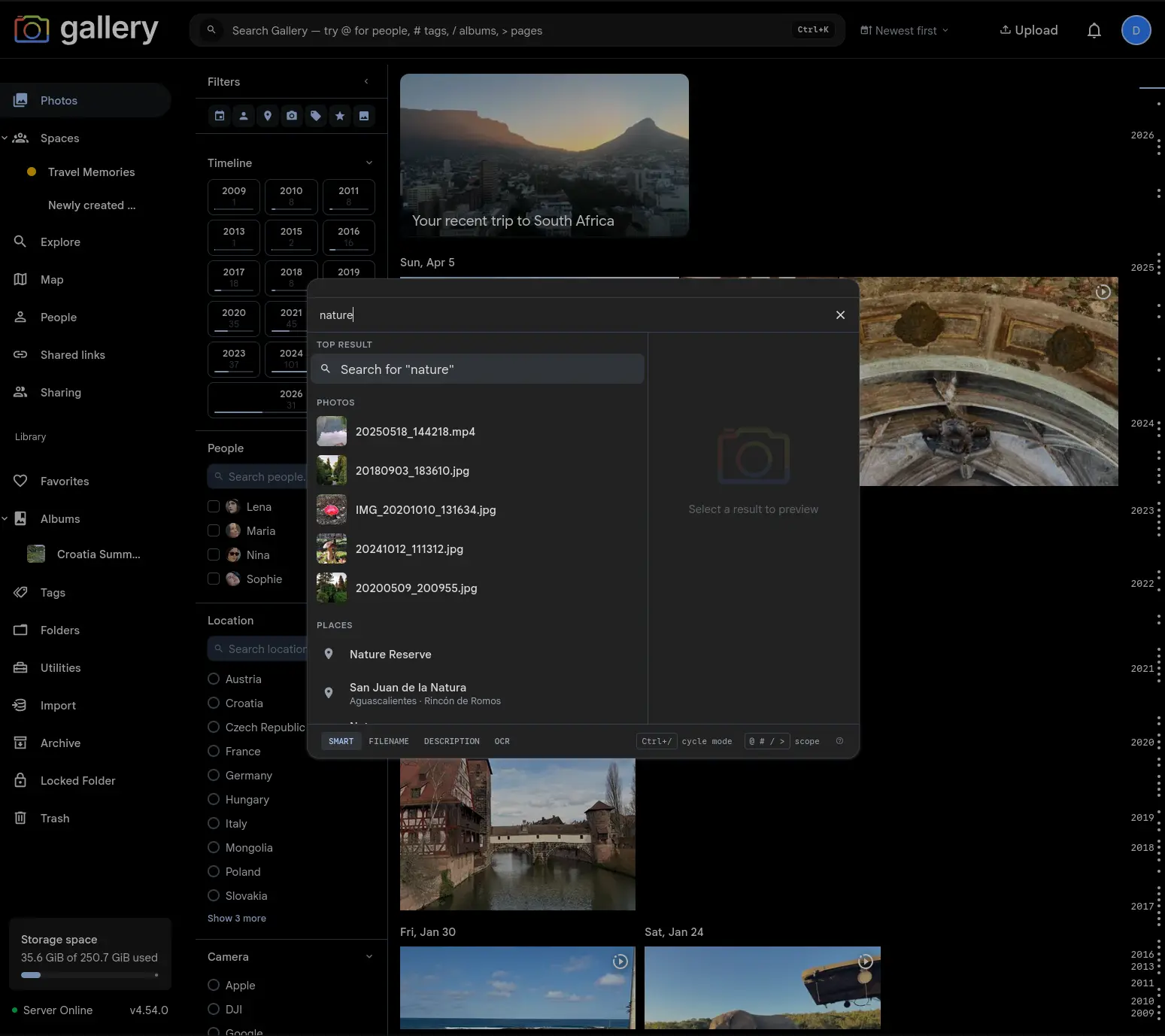
Cmd/Ctrl+K is now the main search surface: one command palette searches your current page, photos, people, places, tags, albums, Spaces, commands, and settings.
Gallery's Cmd/Ctrl+K palette started as a fast way to jump to photos, people, places, tags, albums, Spaces, commands, and settings pages. It is now the primary search entry across the app. The navbar trigger opens the palette everywhere, with the same keyboard flow whether you start from Photos, a Shared Space, the Map, or a settings page.
That means one habit covers discovery and navigation: type a query, arrow if you need to, press Enter when the obvious match is highlighted.
Top result understands the current page
Plain text in the palette now creates a Search for... Top result. On searchable pages, activating that row routes the query back into the page you are already looking at instead of throwing you into a separate search view.
On Photos, that means the timeline updates in place. Inside a Space, the same query searches that Space's timeline. On pages without their own search surface, Gallery falls back to the full Photos search so Enter always does something predictable.
Page controls stay where they belong
Searchable pages keep their sort control beside the navbar search trigger. When there is no query, timelines default to newest-first browsing. Once a query is active, relevance becomes available for smart search, while date sorting remains one click away.
The old page-specific search controls are gone, but their behavior is still there — just folded into the global command palette and the compact controls next to it.
Still searches the whole library
Global Search did not lose the original palette scope. Photos, people, places, tags, albums, Spaces, commands, and navigation entries still resolve in parallel, with prefix shortcuts when you know the kind of thing you want:@ for people, # for tags, / for albums and Spaces, and > for commands and pages.
Commands also stay first-class. Uploading, creating an album, opening shortcuts, running admin jobs, or firing context-aware verbs from an album or Space all happen from the same box.
Cleaner mobile and desktop flows
The new trigger gives desktop users a full-width search affordance with the keyboard shortcut visible, while keeping mobile layouts compact. Query state syncs through the URL on searchable pages, so refreshes, back/forward navigation, and shared links preserve the search you were looking at.
It is a smaller interface with more reach: fewer search boxes, fewer special cases, and one place to start whenever you want Gallery to find something or do something.