Made for Wi-Fi
Gallery already keeps a playback copy of each video, sized for a home network. An iPhone clip comes out at around 8 to 10 Mbit/s. On a train or at a campsite that means a spinner instead of a video, and a few clips can use up a month of data.
A second, smaller copy
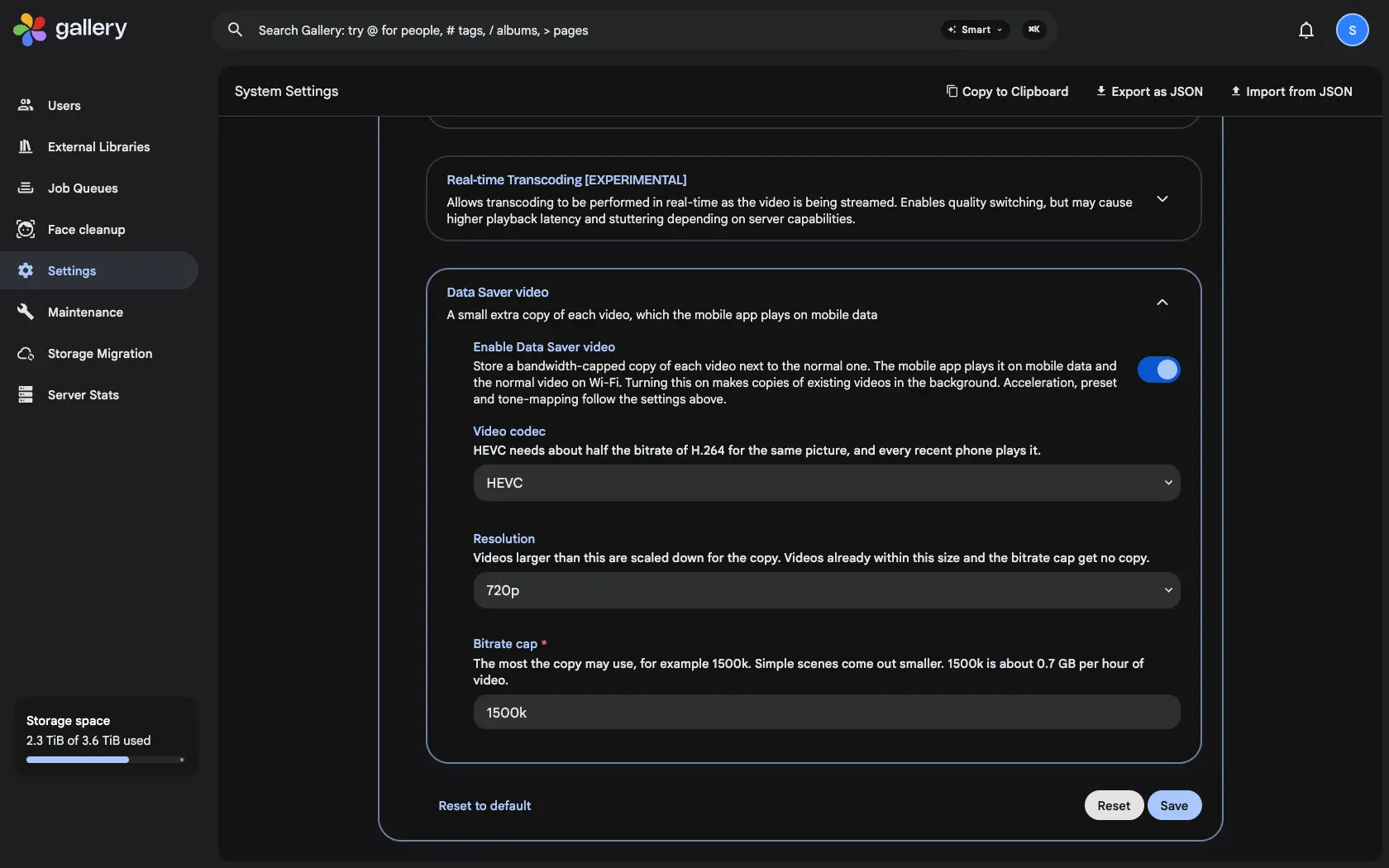
Turn on Data Saver video under Administration › Settings › Video Transcoding. The server makes a second copy of each video next to the normal one: HEVC, 720p and capped at 1.5 Mbit/s by default, which is at most about 0.7 GB per hour. In testing, a 31 MB 1080p clip became a 4 MB copy. Turning it on makes copies of the videos you already have in the background.
Picked by the network
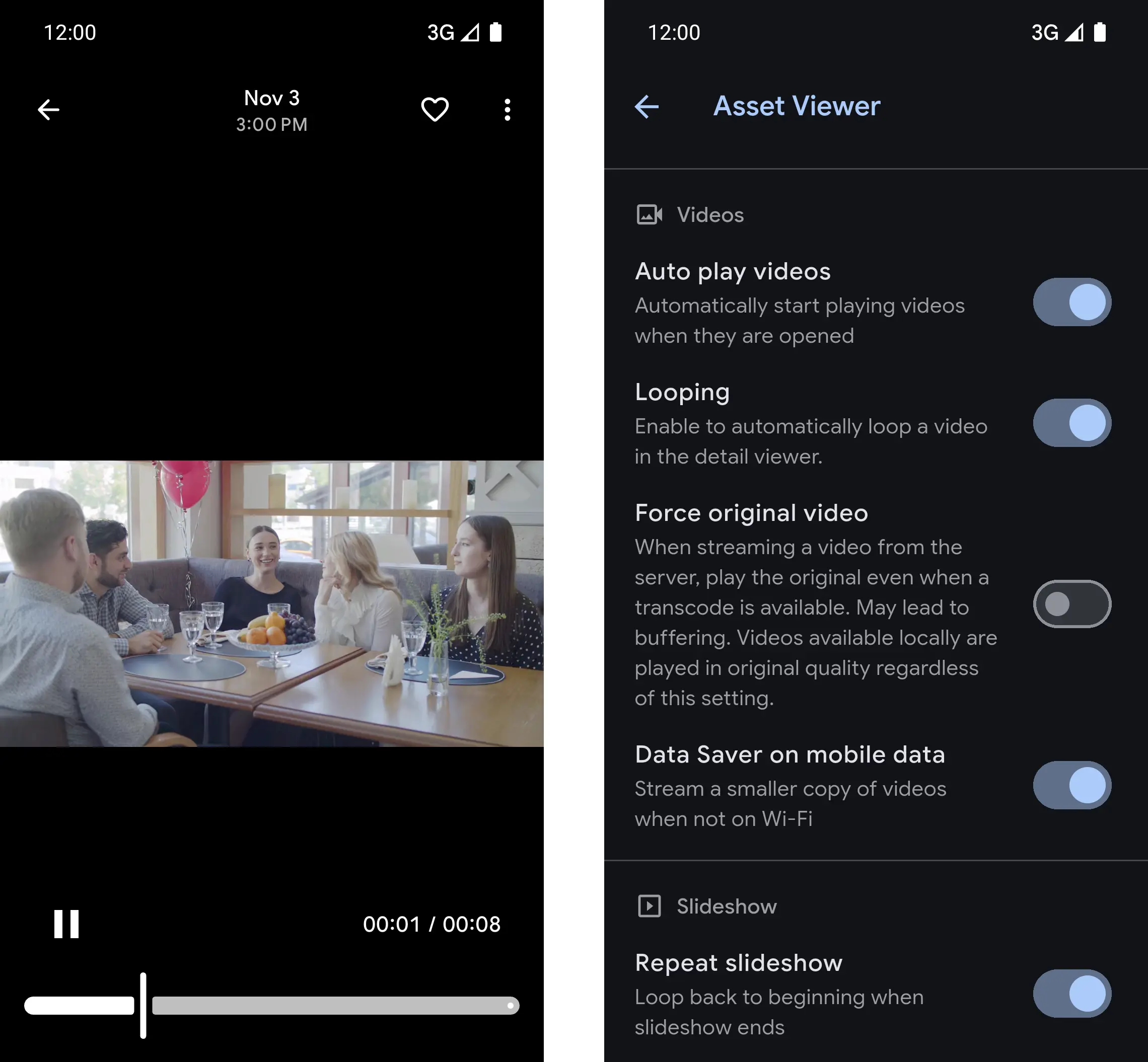
The app asks for the Data Saver copy only when the phone is on a metered network, so mobile data and a phone hotspot count, and Wi-Fi plays the normal video. If a copy is missing it falls back to the normal video, then the original. Play original video and videos stored on the phone still win.
Off for anyone who wants full quality
The switch Data Saver on mobile data sits in the app's Asset Viewer settings. It is on by default and only shows when the server offers the copy, so someone with an unlimited plan can turn it off and always stream the full video.