Trips, weddings, school events and family weekends usually end the same way: everyone has part of the story, nobody has the whole set, and the best photos are buried in chats or on someone else's camera roll.
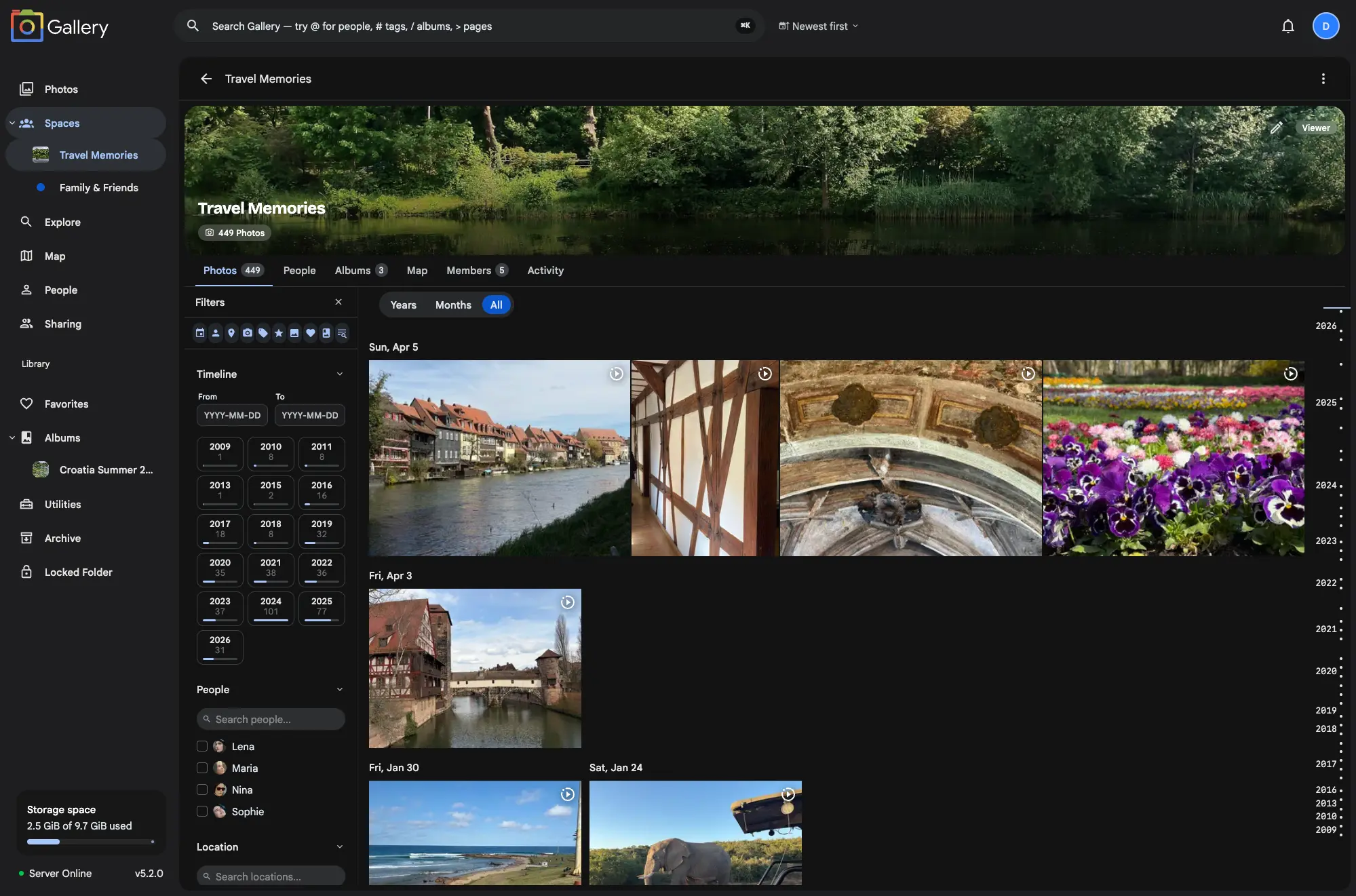
Shared Spaces turn those scattered libraries into one chronological timeline. Invite the people who were there, let each person add their own photos, and everyone gets one place to browse, search and filter.
People keep their own accounts and their own libraries. A Space is the shared view on top.
The same person, split across libraries
Group photos are half of the problem. The other half is the people in them. Once a Space has several contributors, every account has its own "Dad", its own "the kids", its own "Grandma", and upstream face recognition has no way to connect them. You search for one person and get a third of what is actually there. You name someone in a Space and the work stays trapped in that Space.
Global People resolves people across your personal library and every timeline-enabled Space you can access: one row on the People page, one suggestion in filters, one hit in search, and never across a permission boundary you were not already on the right side of.
The eight gaps this closes
Immich ships two ways to share, Partner Sharing and Albums, and both start showing seams the moment more than two people use them seriously.
Partner Sharing is all-or-nothing. You hand someone your entire library or you share nothing: no way to scope it to a trip, a family circle, or photos of the kids. Spaces let you carve out exactly what is shared, in as many spaces as you need.
Albums are one person's island. Anyone can drop photos in, but the album belongs to whoever created it. Spaces are multi-owner by design: Owner, Editor and Viewer roles let several people maintain one timeline together.
Face recognition stops at your account. Your "Dad" and your sibling's "Dad" are two separate person entries that never meet. Spaces run face recognition across every contributor and consolidate look-alike people into one. Global People then resolves that identity across your personal library and every timeline-enabled Space, with naming and merging that respect permission boundaries.
No combined family timeline. Album photos don't merge into your main Photos tab. Space photos show on your timeline by default, and any member can switch "show on timeline" off for a Space they want kept separate.
No sense of what is new. Reopen a shared album and it's the same screen as last week. Spaces track each member's last visit and surface new photos with a badge on the spaces list and a sticky "X new since [date]" divider inside the timeline.
No way to search or map a shared collection. Smart search and the map view operate on your full library, not a slice of it. Spaces support semantic search and a map view scoped to that group's photos.
No bulk-share without manual copying. Sharing 30,000 photos through an album means selecting 30,000 photos. Spaces support Add all my photos in one click, and Connected libraries that auto-include every photo from a linked external library. All of it by reference, with zero storage duplication.
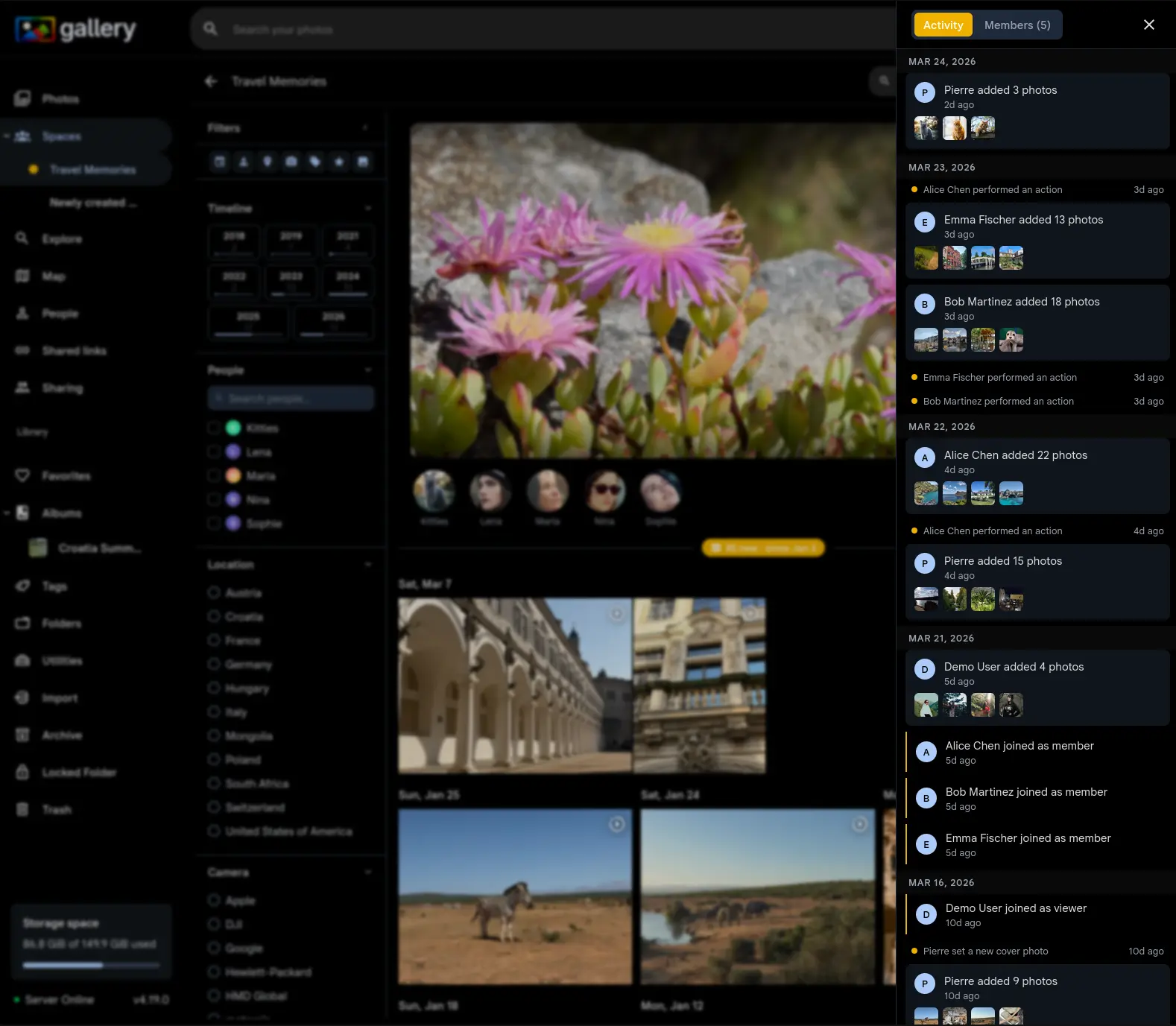
No activity log. Albums don't tell you who added what, when, or who joined. Each Space keeps a feed of photo additions, member changes, role updates and cover edits.
One timeline, or as many albums as you like
A single combined timeline is exactly right for a weekend trip and unworkable for a family library that spans years. So every Space also gets a dedicated Albums tab. Space albums let Owners and Editors link an album they already have, or create a fresh one inside the Space, and its photos appear for every member as a named collection, with the same search, sort, group and view controls as your personal Albums page. Once a space holds more albums than a single list can carry, Space album folders nest them: drag albums into folders, nest folders inside folders, move around with a breadcrumb, on web and on mobile.
Albums are linked by reference, so nothing is copied and unlinking leaves the original untouched. Members can add photos they don't own to a linked album as contributions that never leave their real owner's library, and each album has its own switch for whether it feeds the combined timeline. All of it works on the web and in the iPhone and Android apps.
Clear ownership, fewer awkward handoffs
Shared albums often become fragile because one person owns the whole thing. In a Space, contributors add directly from their own library, and role-based access controls who can add photos, manage members, or simply browse.
Face recognition works across the entire Space, so a face tagged by one person is useful to everyone viewing that shared timeline.
You can clean up without breaking the shared view
Shared collections get messy fast when several people upload similar shots. When you resolve a duplicate group, the keeper photo automatically joins every Shared Space the trashed copies belonged to, so cleanup does not quietly remove photos from a space your family or team is using.
Face recognition re-runs on the keeper inside each space, so any people it captured flow straight into that space's people sidebar. The sync is permission-aware: it only touches spaces where you have the Owner or Editor role.
Shared Spaces FAQ
Why are Shared Spaces separate from albums?
Albums stay curated sets: a wedding highlight reel, a hand-picked trip folder, a group of photos to share by link. A Space is a shared library view with its own members, roles, activity log, timeline behavior, search, map, people, Albums tab, and large-library tools like bulk add and connected libraries. Keeping them split keeps albums simple and leaves collaboration to Spaces.
When should I use an album instead of a Space?
Use an album when one person is curating a finite set of photos. Use a Space when several people are contributing from their own libraries and everyone expects an ongoing timeline they can browse, filter, search and revisit.
Do Space photos show in my main timeline?
Yes, by default, so a family or trip Space can feel like one complete library. You can turn that off per Space if you want a shared collection kept out of your personal timeline.