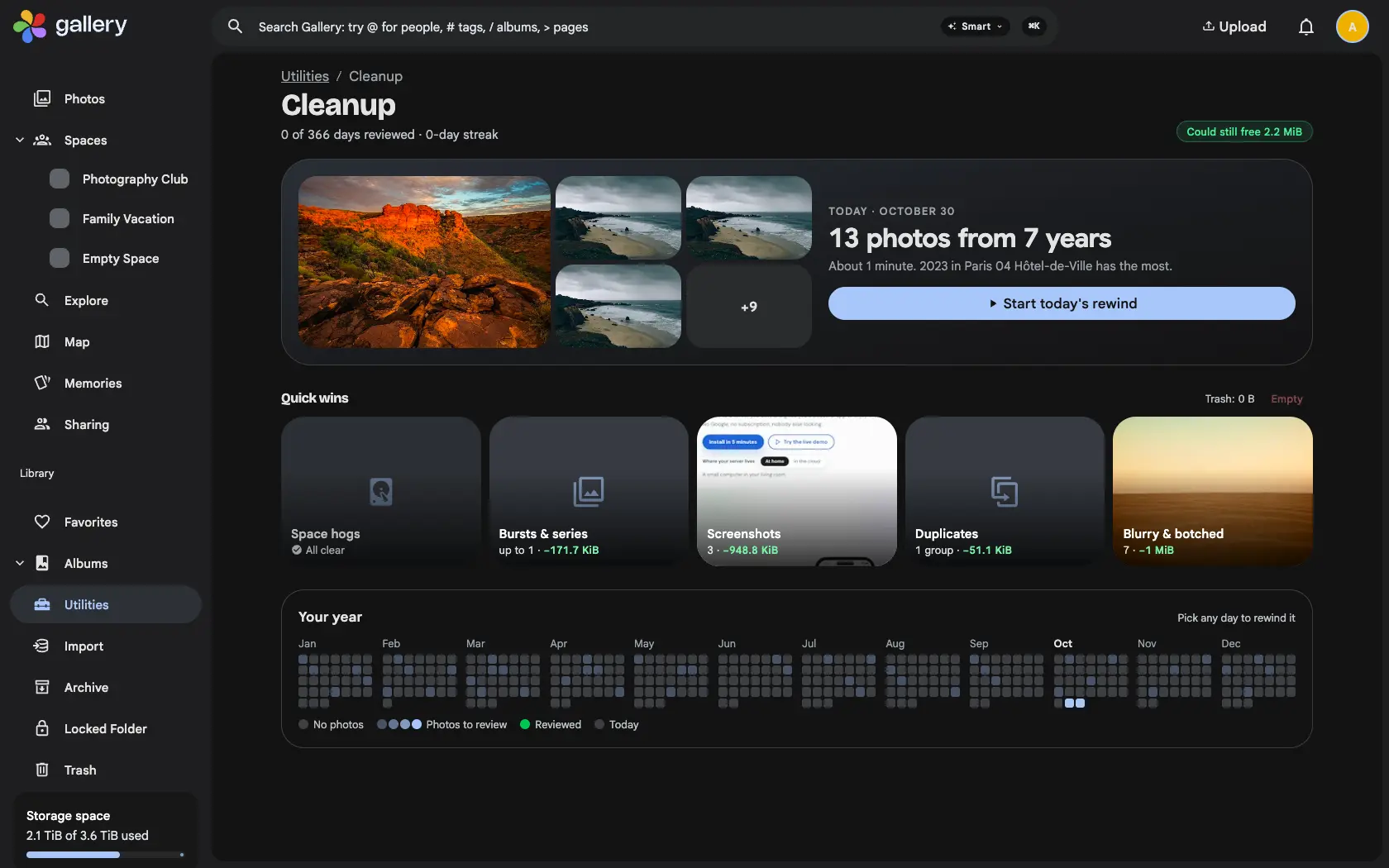
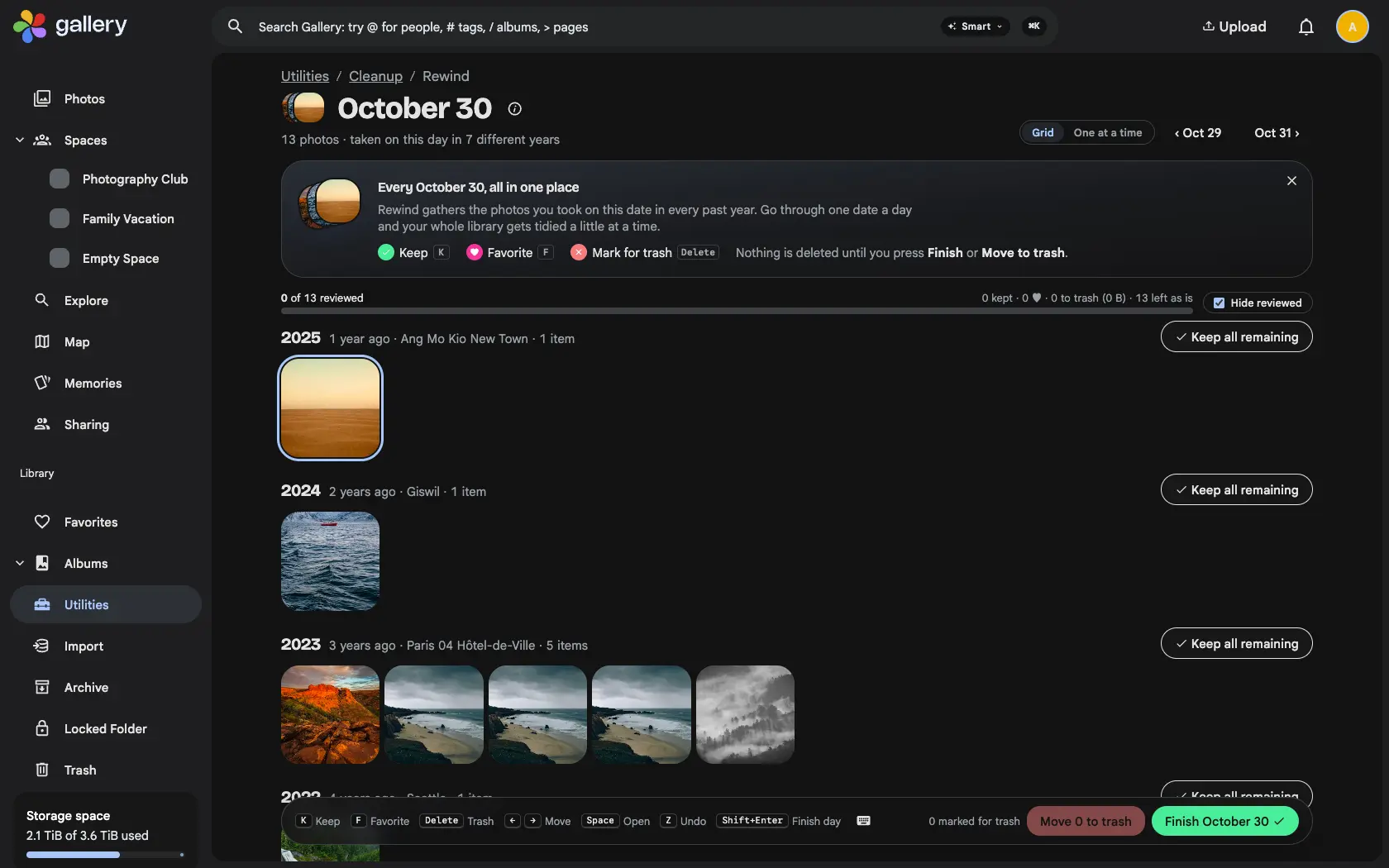
A daily rewind of everything you took on this date in past years, plus cleanup queues for space hogs, bursts, screenshots and blurry shots, on the web and in the app.
A photo library only grows. The bursts, the screenshots, the blurry shots and the ten nearly identical sunsets pile up, and sorting them means a whole weekend nobody ever has. Library Cleanup breaks the job into sessions of a few minutes, and shows you what each one frees.
Rewind one date at a time
A rewind shows every photo you took on one calendar date, across all your years, newest year first. Keep a photo, make it a favourite, or mark it for the trash, then finish the day. Open Utilities › Cleanup and today's date is waiting, or pick any other day on the calendar of the year. Dates you finish turn green, and a streak counts the days in a row you came back.
Queues for the usual suspects
Space hogs lists your largest files. Bursts & series groups shots taken within about two seconds and suggests the sharpest one to keep, or stacks the group instead. Screenshots and Blurry & botched come from a quality analysis that runs on your server after upload. Each queue shows how much space it could free, and can be worked down to zero.
Swipe through it in the app
The Gallery app has Library Cleanup too, under Library › Cleanup. Swipe right to keep, left to trash and up to favourite, or switch to a grid. Nothing reaches the server while you swipe: your marks are saved on the phone, so you can stop and carry on later, and Done shows a summary before anything is applied.
Trash first, always
Every photo removed through Cleanup goes to the regular trash, where you can restore it. If a photo is also in a Shared Space, Gallery warns you first, because trashing it removes it for the other members too. Cleanup only ever shows your own photos, and leaves external libraries alone, since trashing those would not free the file anyway.