The search palette grows context-aware verbs when you're on an album or space page — rename, share, add member, delete — scoped to what you can actually do there.
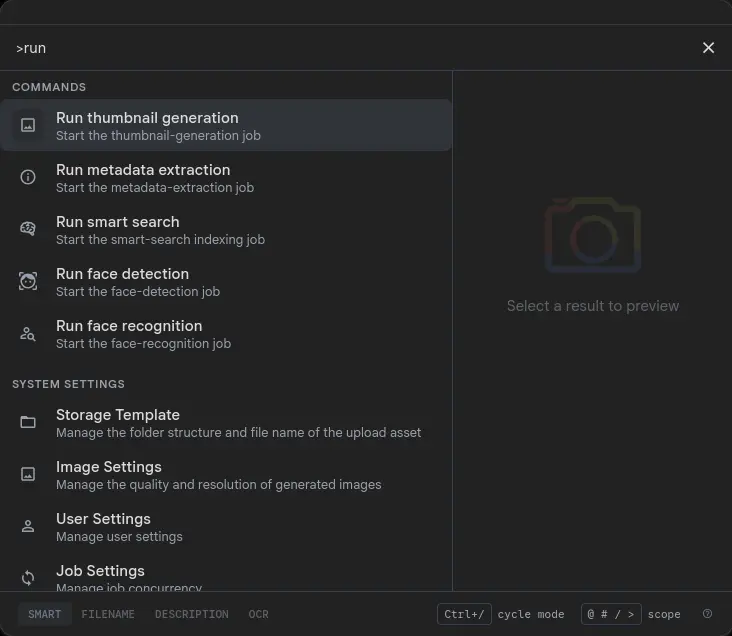
On most pages the Commands section in the Cmd/Ctrl+K palette shows stateless global verbs: Upload files,Create album, Create shared space, Toggle theme, and so on. Open the palette on an album or space page and it extends that section with verbs that only make sense right there — and disappear the moment you navigate away.
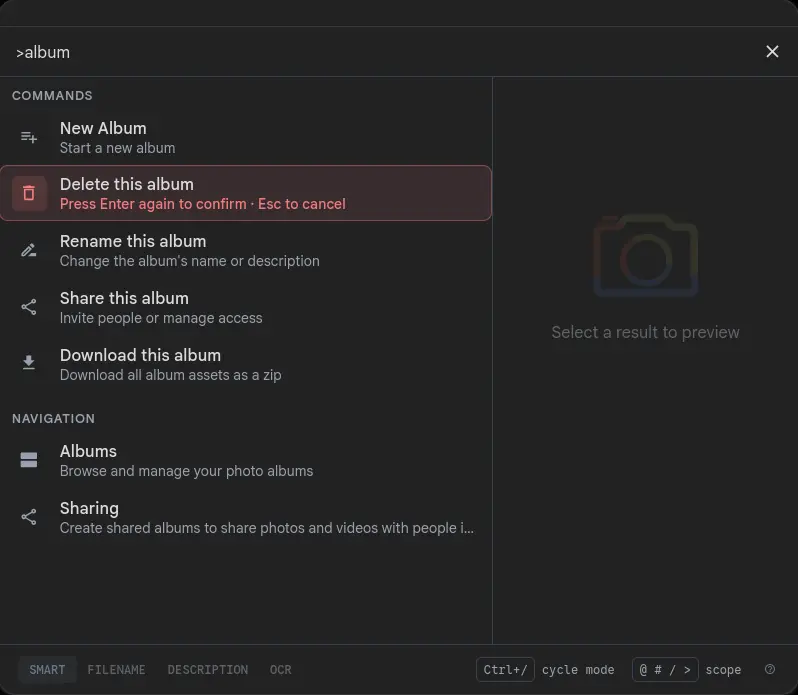
On an album page you get: Rename this album, Share this album,Download this album, plus Delete this album if you own it or Leave this shared albumif you don't. On a space page you get: Manage space members, Add a member to this space, Add all my photos to this space, and either Delete this space or Leave this space depending on ownership. The Commands section also appears on space sub-pages — the people tab, photo sub-routes — so you don't have to navigate back to the top level to reach space verbs.
Permission-gated — every verb reflects what you can actually do
Context commands use the same permission checks as the rest of the UI. A viewer on an album never seesRename or Delete. An album owner never sees Leave — you can't leave an album you own. A space viewer never sees Add all my photos (write-only for owners and editors). The palette mirrors what you can actually do on the page — no misleading rows that error on activation.
This extends to the stale-entry case too: if you click a command for an album that was deleted in another tab, the palette catches the 404, shows a toast, and removes the entry from recent history rather than navigating to a broken page.
A two-step confirm for anything you can't undo
Destructive verbs — deleting an album, deleting a space, leaving one — don't fire on a single strayEnter. The first Enterarms the row: the background tints red, an inset ring outlines it, and the subtitle swaps to "Press Enter again to confirm · Esc to cancel". The secondEnter fires. Esc, arrow-away, picking a different command, or simply typing a new character all cancel the pending state. A 3-second timeout clears it automatically.
The same confirm mechanic covers Add all my photos to this space — even though that's technically additive, queuing a background job that touches thousands of assets deserves a deliberate second keystroke.
Part of the Search Palette
Page Commands shipped as part of the Search Palette — the Cmd/Ctrl+K surface that also handles photo search, people, places, tags, prefix scoping, and stateless global commands like upload and create album.