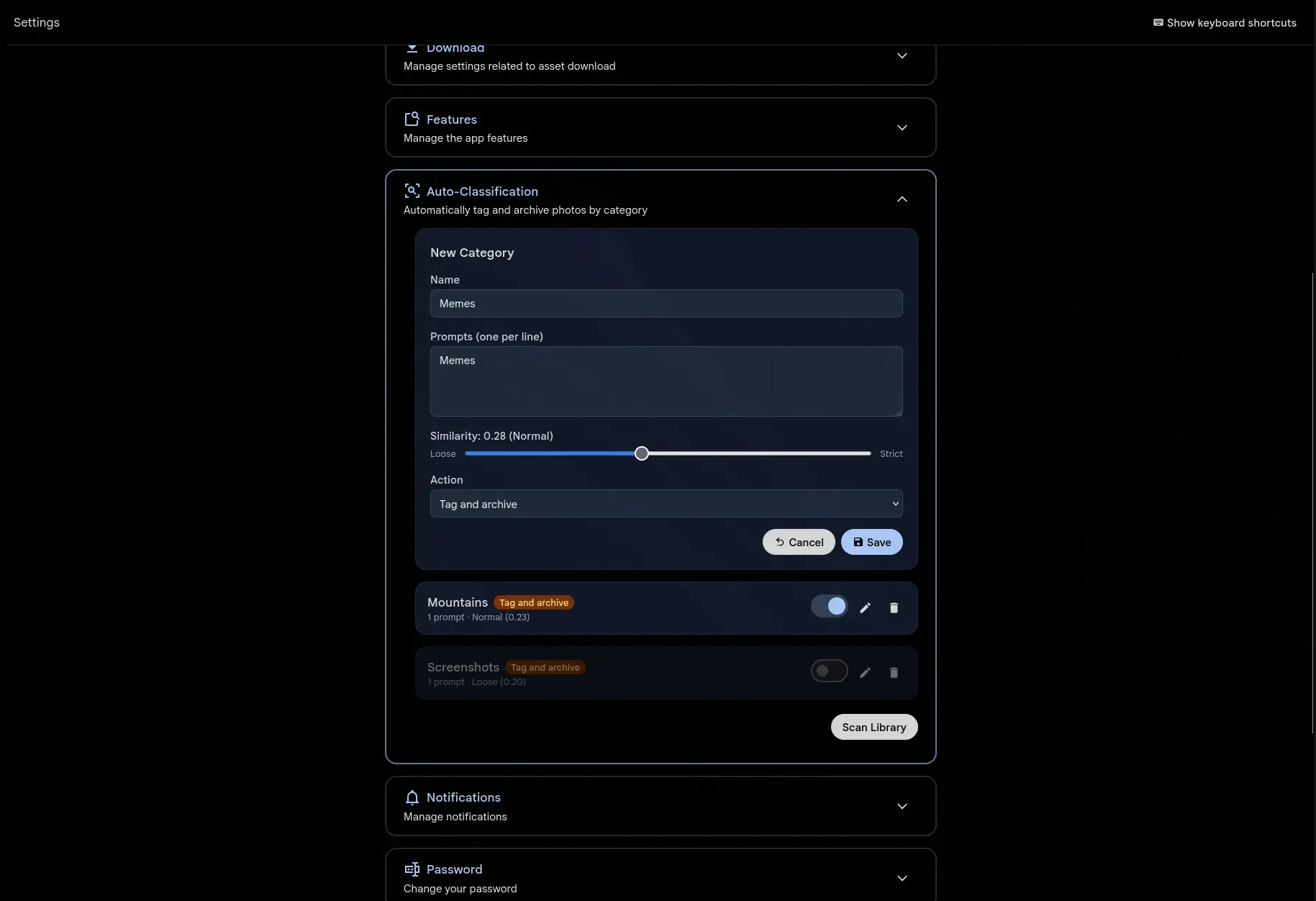
You decide which categories matter. "Screenshots", "Memes", "QR codes", "Receipts", whatever clutters your timeline. For each one, write one or more text prompts describing what those images look like. Gallery compares every photo against your prompts with the same CLIP model that runs smart search.
A match gets tagged under Auto/CategoryName. Set the action to "Tag and archive" and matching photos leave your timeline for the archive as well. Nothing is deleted.
Works on every photo, past and future
New uploads are classified the moment their CLIP embedding is generated, in the same pipeline that feeds smart search and duplicate detection. No extra processing step.
For the library you already have, hit "Scan Library" and a background job goes through it. Thousands of photos take seconds. It runs on the job queue you already use for thumbnails and transcoding.
One threshold per category
Each category carries its own similarity slider. Push it toward "Loose" to catch more matches and accept more false positives, or toward "Strict" for high-confidence matches only. The default works for most categories.
More prompts per category means better accuracy. Rather than "screenshot" on its own, add "screenshot of a phone screen", "screenshot of a computer desktop" and "screen capture with UI elements". Each description gives CLIP another angle to match from.
Set once, applies to everyone
Categories are configured system-wide by administrators in Administration > Settings > Classification. One set of rules covers every user, so receipts and memes are handled the same way for everybody and nobody has to build their own list.
The current classifier uses CLIP text-to-image similarity. OCR-based detection, EXIF matching and dedicated models can be added later as separate features, because the architecture takes new classification methods without replacing this one.