Why recognition misses so much
It looks like a bug the first time you notice it. You have named someone, they are clearly in a hundred photos, and the People page credits them with sixty. The rest sit unassigned: the profile shot, the one where they are laughing, the one from four years ago.
That is the model being careful on purpose. A face assigned to the wrong person is far harder to untangle later than a face it simply never assigned, because the wrong one spreads into search results, memories and shared spaces, and pulling it back out means finding every place it went. So recognition holds a deliberately tight threshold and leaves anything short of it alone.
The cost of that caution is real, and nobody was paying it down. Every library accumulates a long tail of faces the model was almost sure about and said nothing. Face suggestions hands those close calls back to you, and you make the call the model would not.
One face, one question
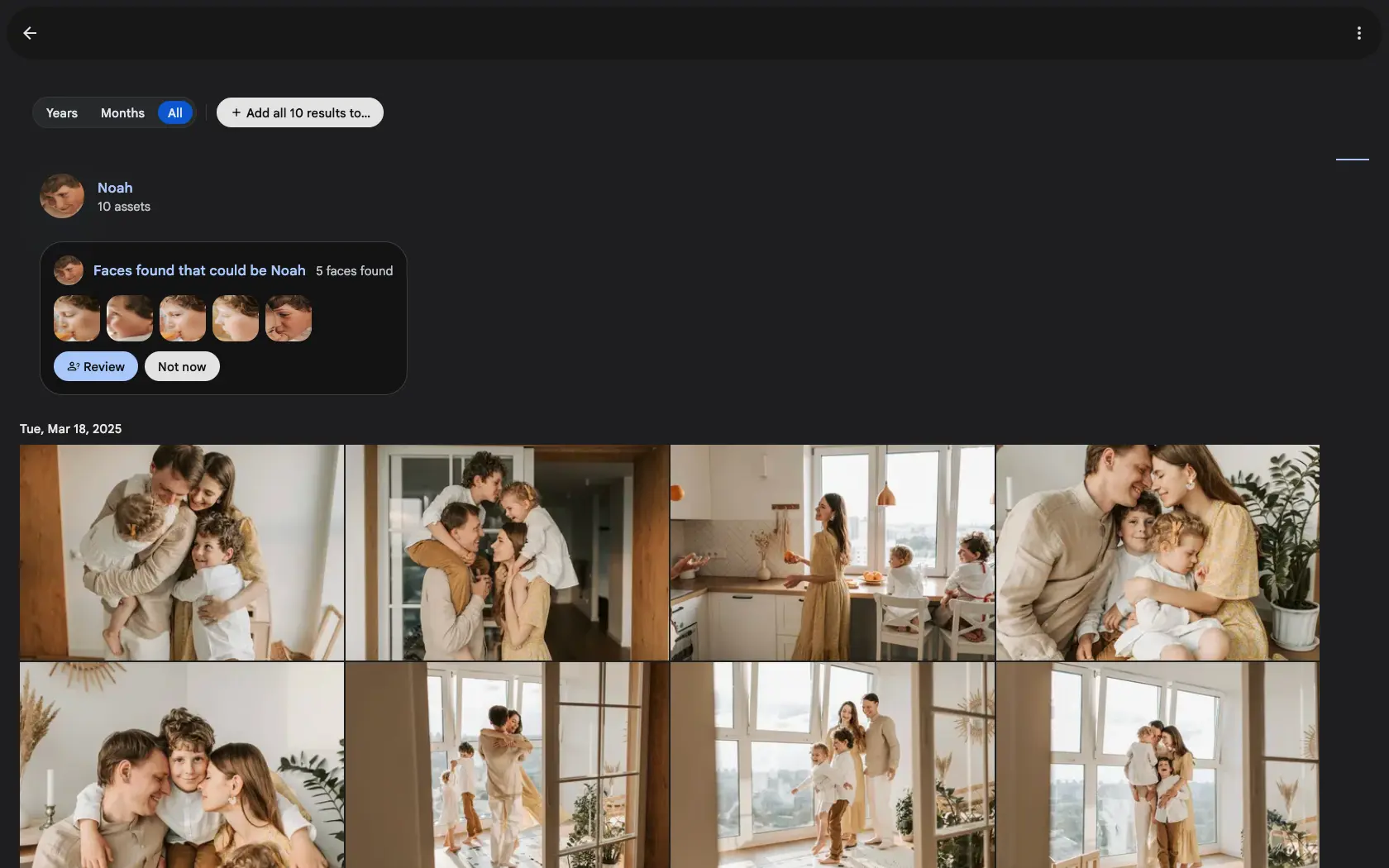
Open a named person and, if there are near-misses waiting, a banner sits above their photos: faces found that could be this person, with a preview of the crops. Press Review and you get them one at a time.
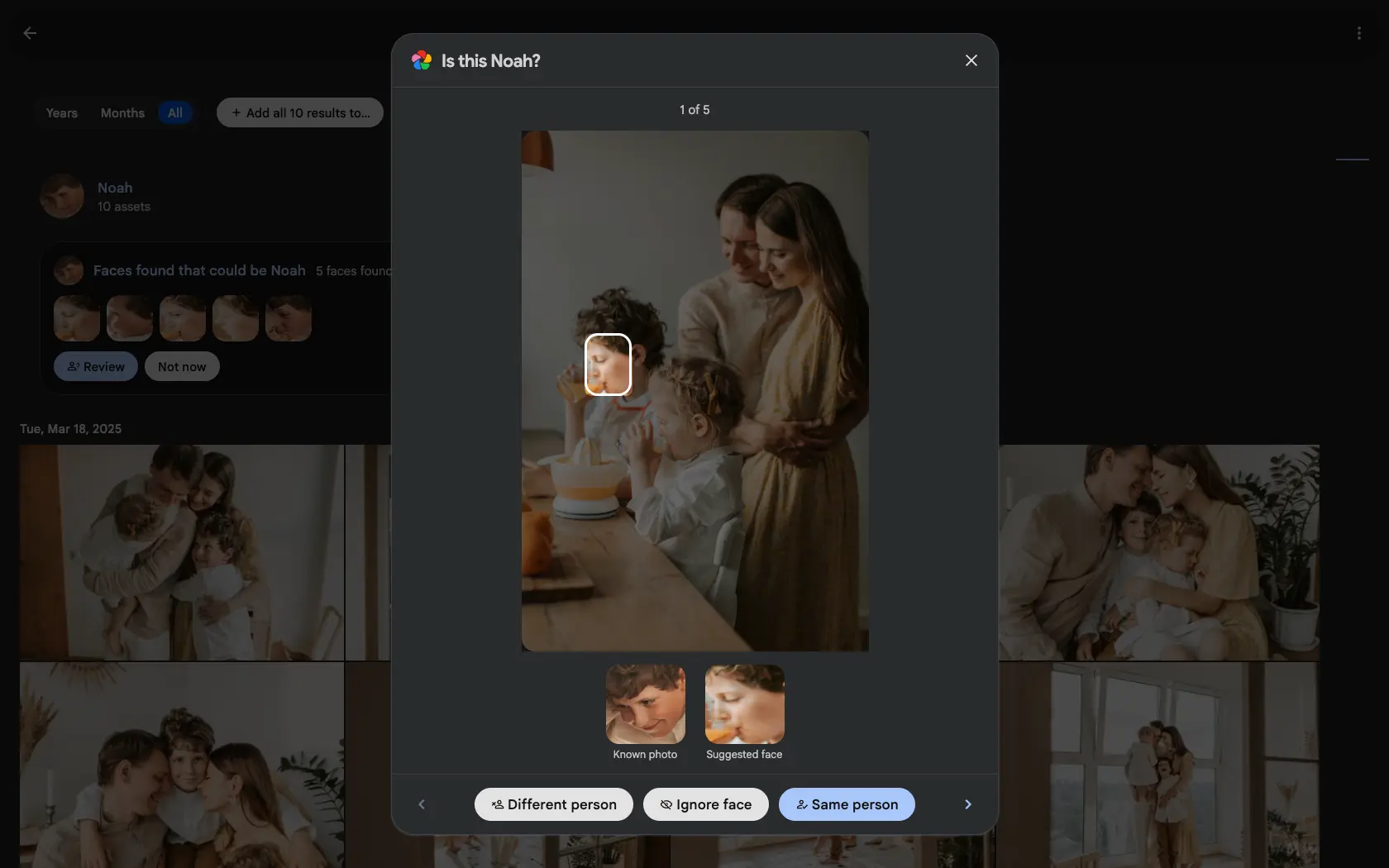
Each one shows you the face in the photo it came from, so you have the context a bare crop throws away: who else is in the frame, when it was taken, what was happening. Beside it sits a known photo of the person you are being asked about, because the honest version of the question is a comparison.
Then three answers. Same person assigns the face and sharpens future matching. Different person says no, and that face is never proposed for this person again. Ignore face is for the crops that are not worth anyone's time, like a stranger in the background or a face on a poster.
Your answers stick
You review once. Every answer is written to a durable record, so a face you have already ruled on does not come back the next time a scan runs, and it survives people being merged or renamed underneath it.
Saying different person hides the suggestion and leaves the face alone otherwise. If normal recognition later becomes confident enough about that face on its own, it can still assign it. That is deliberate: dismissing a suggestion answers this question and nothing wider.
You can also switch the whole feature off. Doing that hides pending suggestions everywhere and deletes nothing. Every decision you already made stays honoured, and turning it back on re-validates what was pending rather than resurfacing suggestions that have gone stale.
Shared Spaces work the same way
People in a Shared Space get suggestions too, whether you open them from inside the space or from the main People view. Owners and Editors see them, because they are the people who can assign faces. Viewers do not, since a queue of questions they cannot answer would be noise.
Nothing to switch on
Suggestions are on by default and the first library scan is queued for you, so an existing library catches up without a trip to the Jobs page. From then on they stay current as new photos are processed. The toggle lives with the other facial-recognition settings, and if you widen the suggestion threshold later, a maintenance job re-scans on demand.
The pairing worth understanding is this one. Face suggestions handles the faces recognition skipped. Face cleanup handles the ones it got wrong.