The mistake that spreads
Face recognition is cautious because the errors are asymmetric. A face it never assigned is a small, quiet loss: a photo missing from someone's page. A face assigned to the wrong person is a mess that grows. It turns up in their search results, in their memories, in the Shared Space where the whole family can see it, and every one of those places has to be found again to undo it.
Clustering still gets it wrong sometimes. Two people who look alike, a run of photos in bad light, a child growing up across a decade: occasionally two identities fuse, and one person's page quietly fills with someone else's photographs. Fixing that by hand across thousands of faces is exactly the chore nobody ever does.
Face cleanup is the tool for it. It finds the contaminated clusters, tells you where each stray face probably belongs, and lets you route them in a few passes instead of an afternoon.
Two ways in
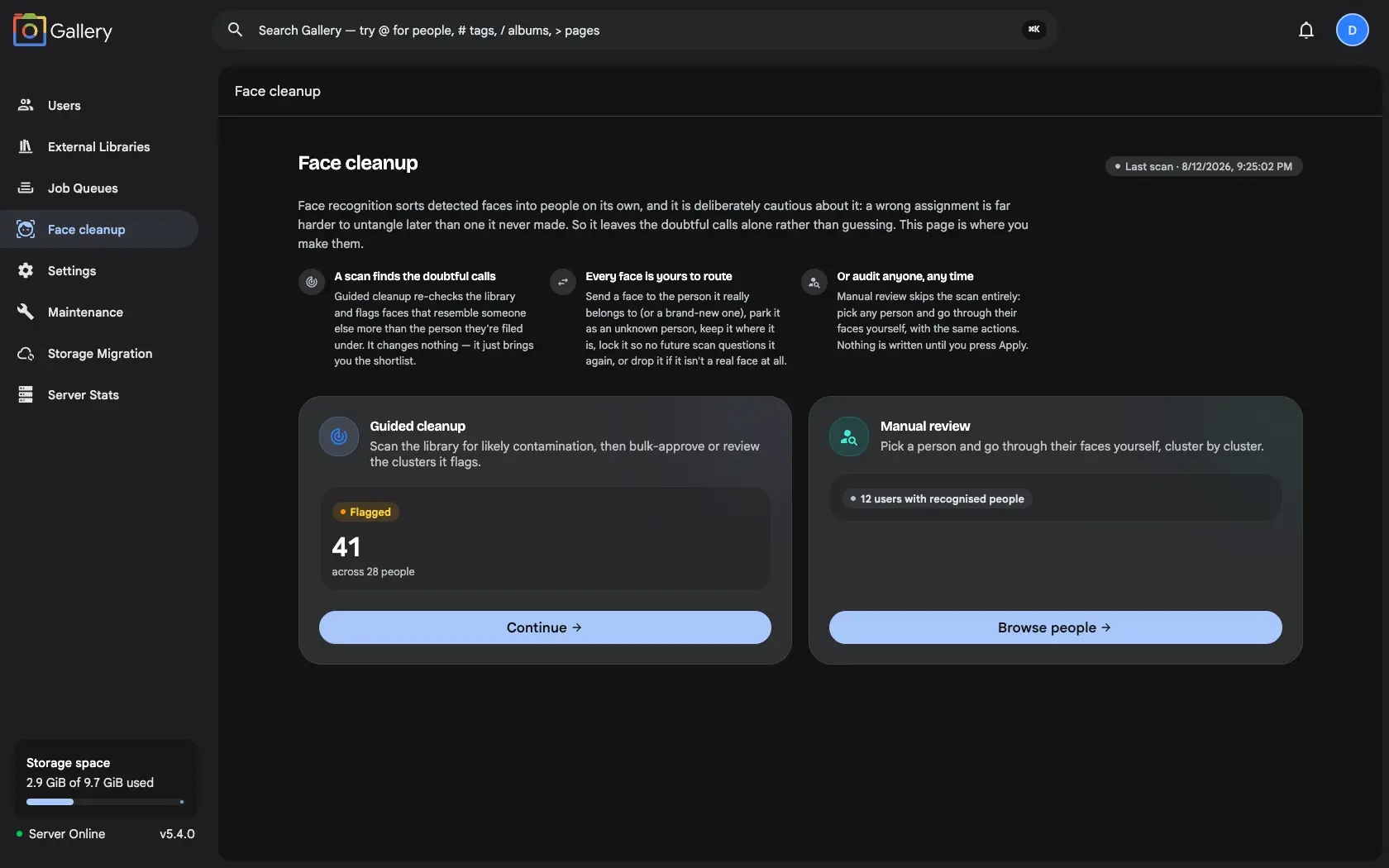
Guided cleanup starts from a scan. It re-checks the library and flags faces that resemble someone else more than the person they are filed under, worst first. It changes nothing on its own: you get a shortlist.
Manual review skips the scan entirely. Pick any person and go through every face on them yourself. That is the faster route when you already know whose page looks wrong, and it works on a brand-new instance where no scan has ever run.
Both write to the same record, so a decision made in either is permanent, and it is respected by the other and by every future scan.
Two lanes, so the easy ones stay easy
A scan sorts what it flags into two lanes, because not every mistake deserves the same attention.
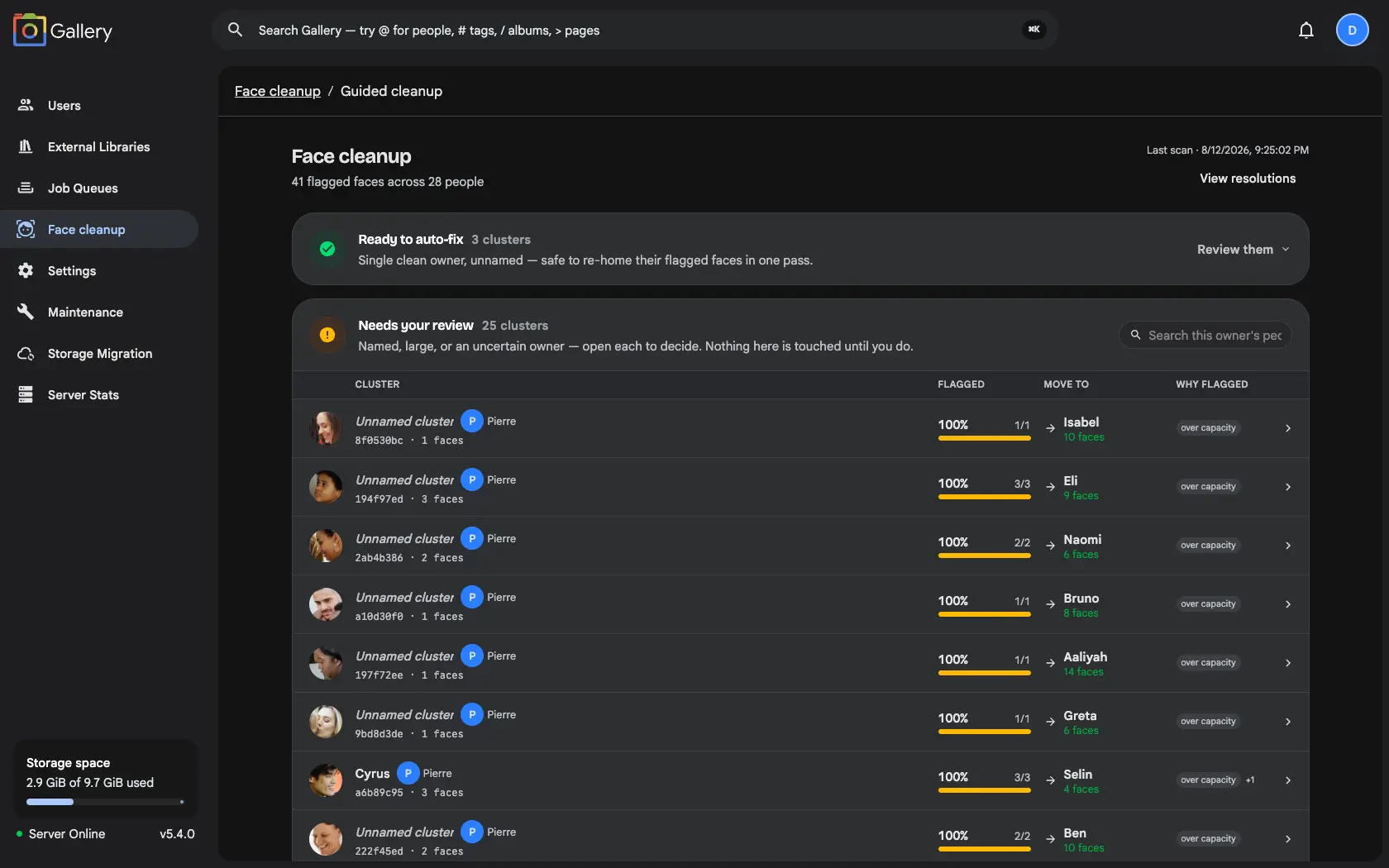
Ready to auto-fix holds the unambiguous ones: small, unnamed clusters with a single clean owner. Nothing there needs opening. Approve the whole batch in one action, hold individual clusters back if you want to look closer, or drop into them face by face.
Needs your review holds everything else: named people, large clusters, and clusters whose stray faces route into another flagged cluster. Nothing in that lane is touched until you open it. The advice that saves the most time is to work owner-first. Clear the people with the smallest flagged percentage, and the rows that depend on them resolve themselves on the next scan.
Six destinations, nothing implicit
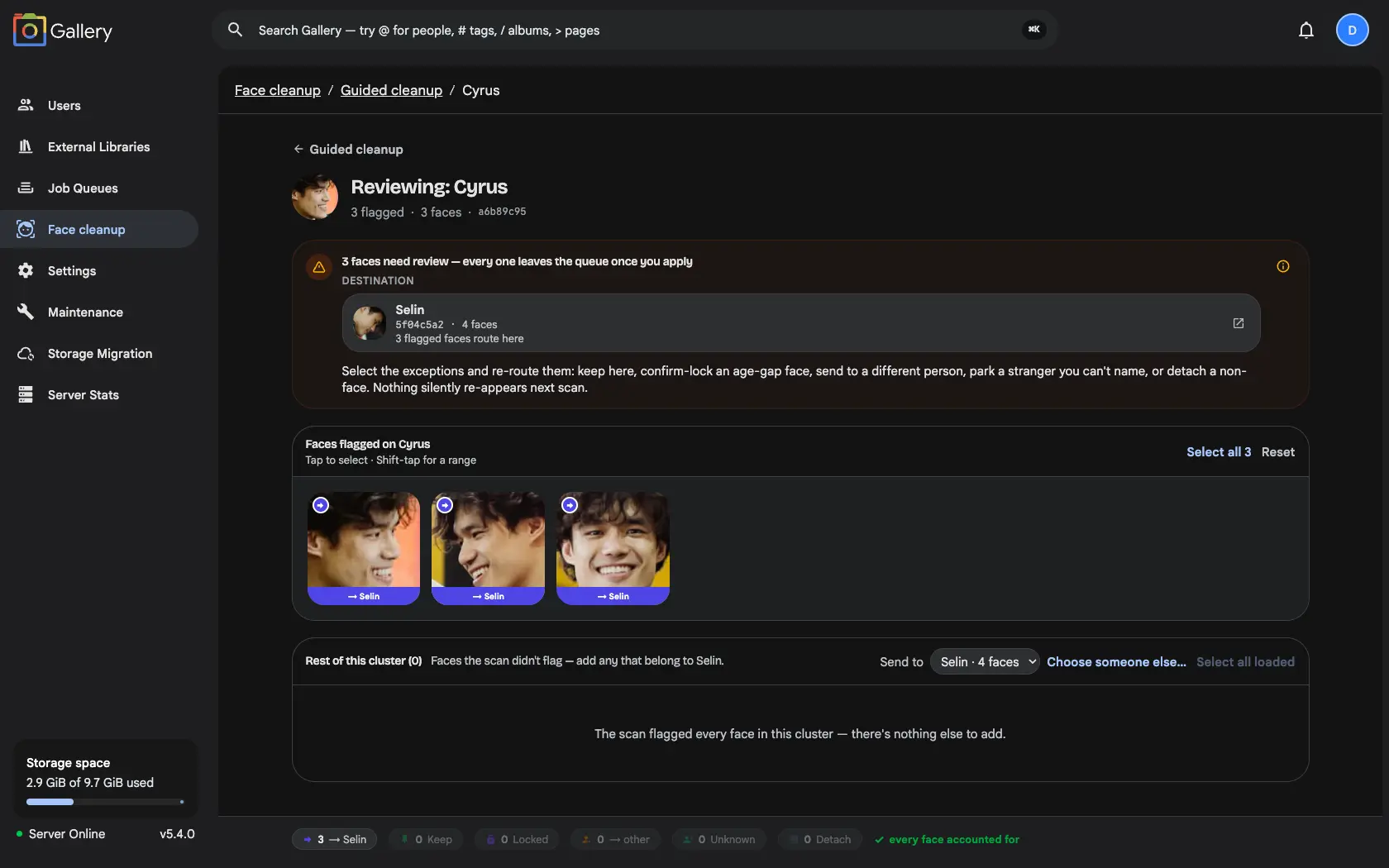
Open a cluster and every flagged face has to land somewhere before it leaves the queue. There are six places it can go: move to owner, the default, sending it to whoever the scan thinks it actually is; move to someone else, including a brand-new person; keep here, declining the suggestion; confirm and lock, which is permanent; unknown person, for a real face you cannot name; and not a face, which retires the crop and is the only irreversible one.
The distinction worth learning is keep-here versus confirm-and-lock. Keep here answers one scan's question, and a later scan suspecting a different person can raise that face again. Confirm and lock silences it for good and survives the person being merged or deleted. That is the right choice for faces that genuinely do not resemble their owner: childhood photos, big age gaps, costumes, heavy shadow.
Nothing is written until you press Apply. The footer keeps a running tally so you can see at a glance that every face is accounted for, and locks and declines can be undone later from the resolutions page.
The rest of the cluster, under the flags
A scan only flags what it is confident about, which is usually less than the truth. Below the flagged faces sits the rest of the cluster, loaded a page at a time, and you can pull any of those into the same move. When an unnamed cluster turns out to be entirely one person, one action moves all of it, and the now-empty placeholder is deleted rather than left behind. The result reads like a clean merge.
The other half of the problem
Face cleanup handles the faces recognition got wrong. Face suggestions handles the ones it was too cautious to assign at all. They run on one shared verdict layer, which is what makes a decision in either stick everywhere.