The filing you keep meaning to do
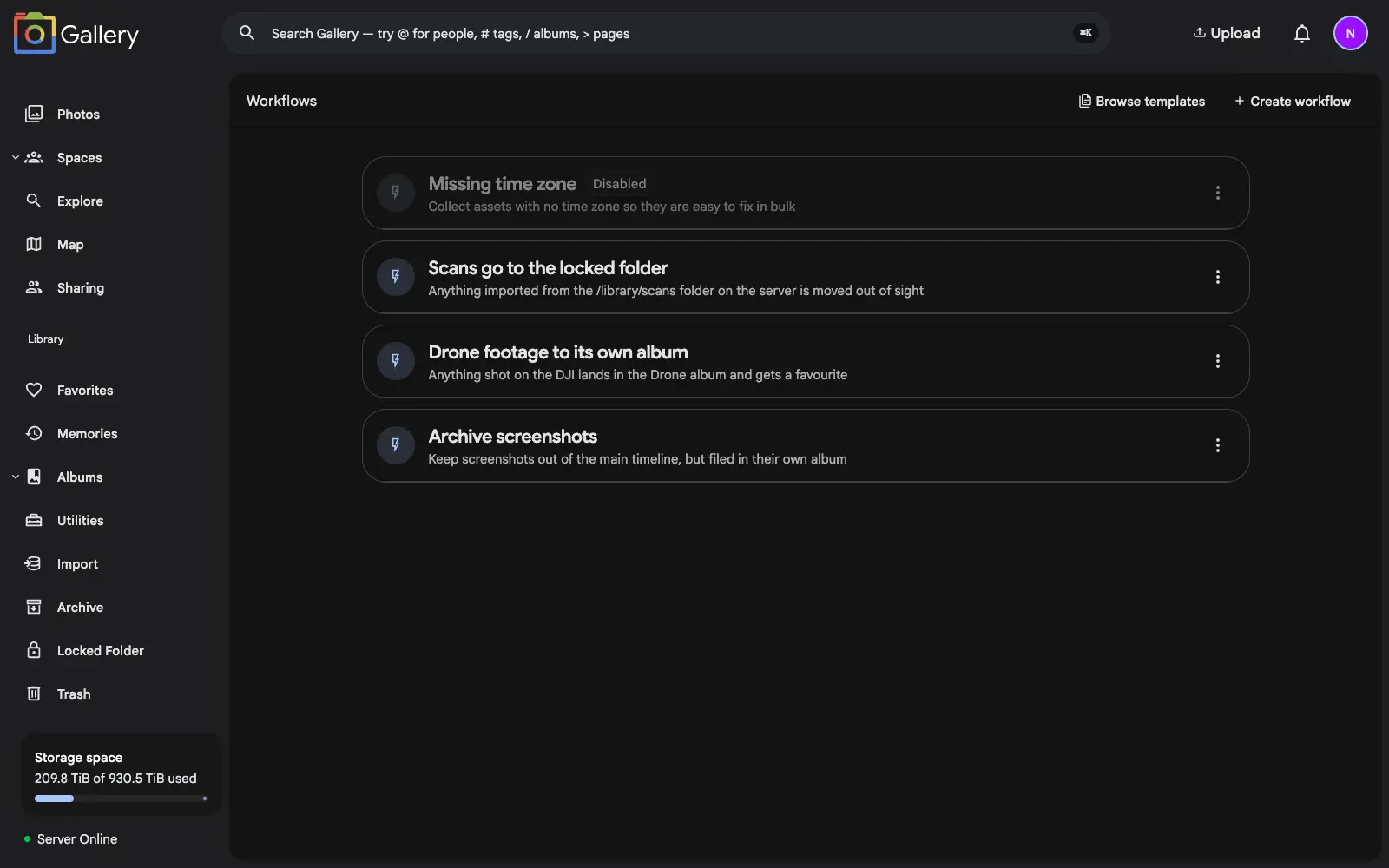
Every library collects chores. Screenshots pile up between real photos. Drone footage never makes it into the album it belongs in. Scanned documents sit in the timeline where anyone glancing over your shoulder can read them. None of it is hard to fix. It is just endless, and you only ever do it in bursts.
A workflow is a standing instruction for that work. Describe the rule once and Gallery applies it to every photo the moment it arrives.
Trigger, filter, act
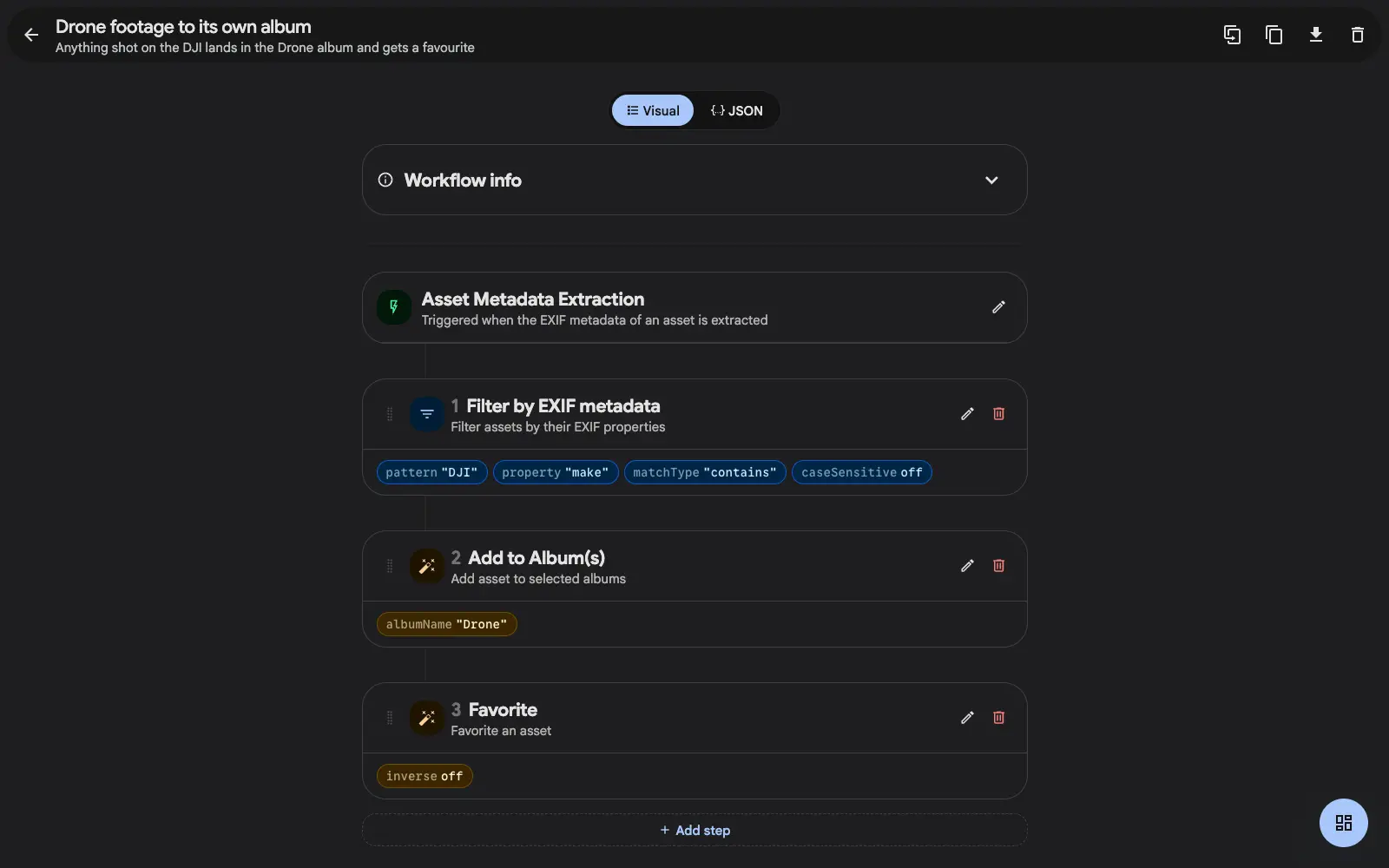
Every workflow reads top to bottom. It starts with a trigger: a photo is uploaded, or Gallery has finished reading its metadata. Then come the filters that narrow things down, and the actions that do the work.
Filters match on the filename, the file's path on the server, the date a photo was taken, whether it is a photo or a video, where in the world it was shot, or a missing time zone. An EXIF filter reaches into the camera data itself (make, model, lens, ISO, aperture, focal length, rating and more), matched by contains, starts with, exact, or a full regular expression.
Once a photo passes the filters, the actions run in order: add it to an album, favorite it, archive it, move it into the locked folder, change its visibility, or fire a webhook at any URL you like so another system can take over.
Match where a file came from
Filenames only tell you so much. When photos arrive from a connected library, a network share, or a scanner that drops files into a folder, the useful signal is where the file sits on the server.
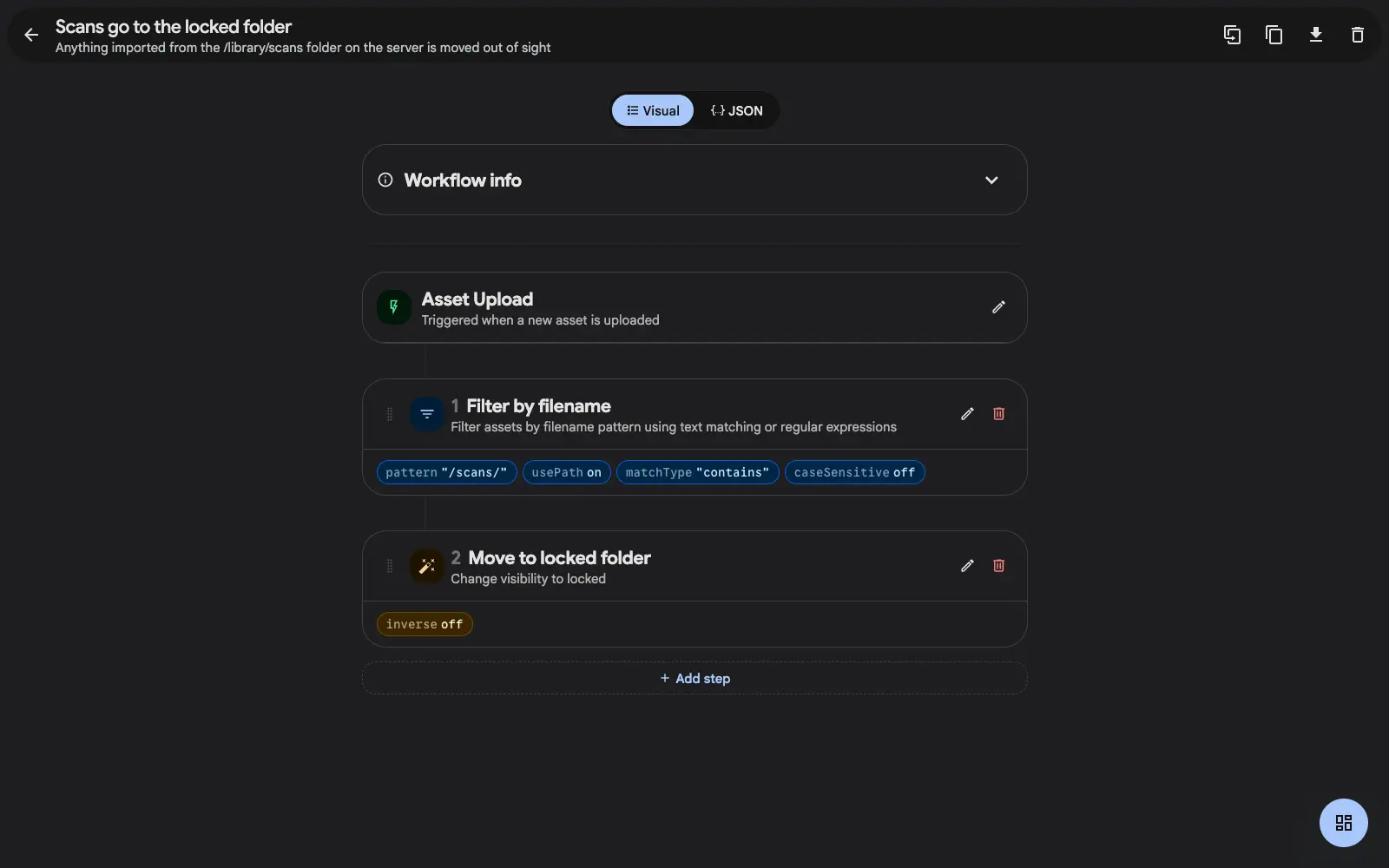
Switch a filename filter to match the full server path and a whole class of rules opens up: everything under /scans/ goes straight to the locked folder, everything from the camera's SD-card import lands in this year's album, everything from a shared drop folder gets archived on arrival.
Build it visually, or edit the JSON
The builder is a plain list of cards you reorder by dragging. Each step shows its configuration inline, so a workflow you wrote months ago still reads at a glance. Steps can be switched off individually while you test, and the whole workflow has its own on/off toggle.
If you would rather work in text, flip to the JSON view. It stays in sync with the visual builder both ways, which also makes workflows portable: copy one out, hand it to someone else running Gallery, and they paste it straight in. Starter templates ship in the box for the common cases.
Why set one up
A rule applies to every photo that arrives after you write it, including the ones you have not taken yet. The tidying stops being something you do in bursts.