The panel that could only be read
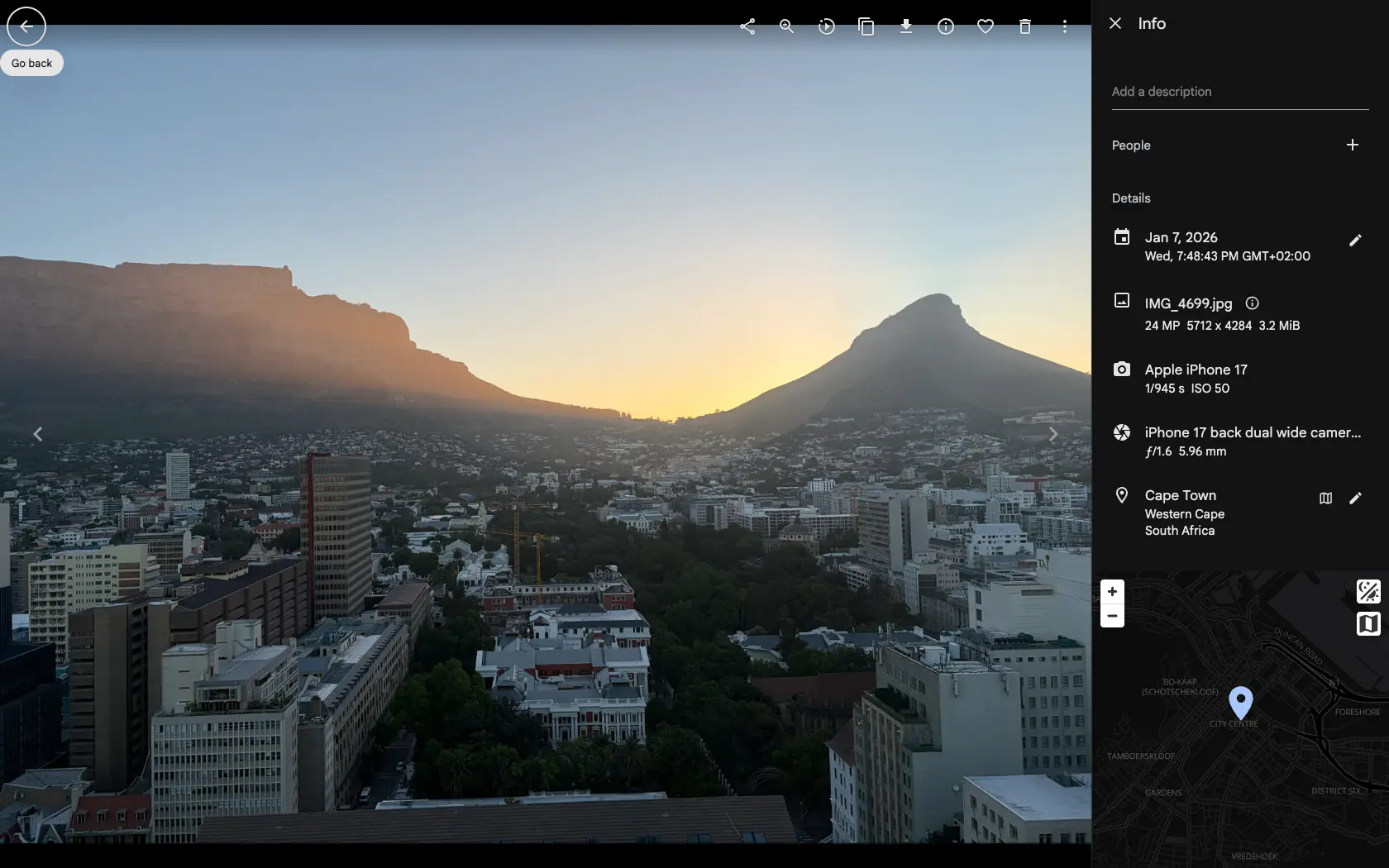
Open a photo, open the info panel, and it is all there: the camera, the lens, the aperture, the city, the date, the album it lives in, the tags on it. Everything you would want to search by, already on screen and already correct.
None of it did anything. To see the rest of the photos from that camera you closed the viewer, went to a search page, found the camera facet, and picked the value that had been sitting in front of you a moment earlier. The information was right there; acting on it meant leaving.
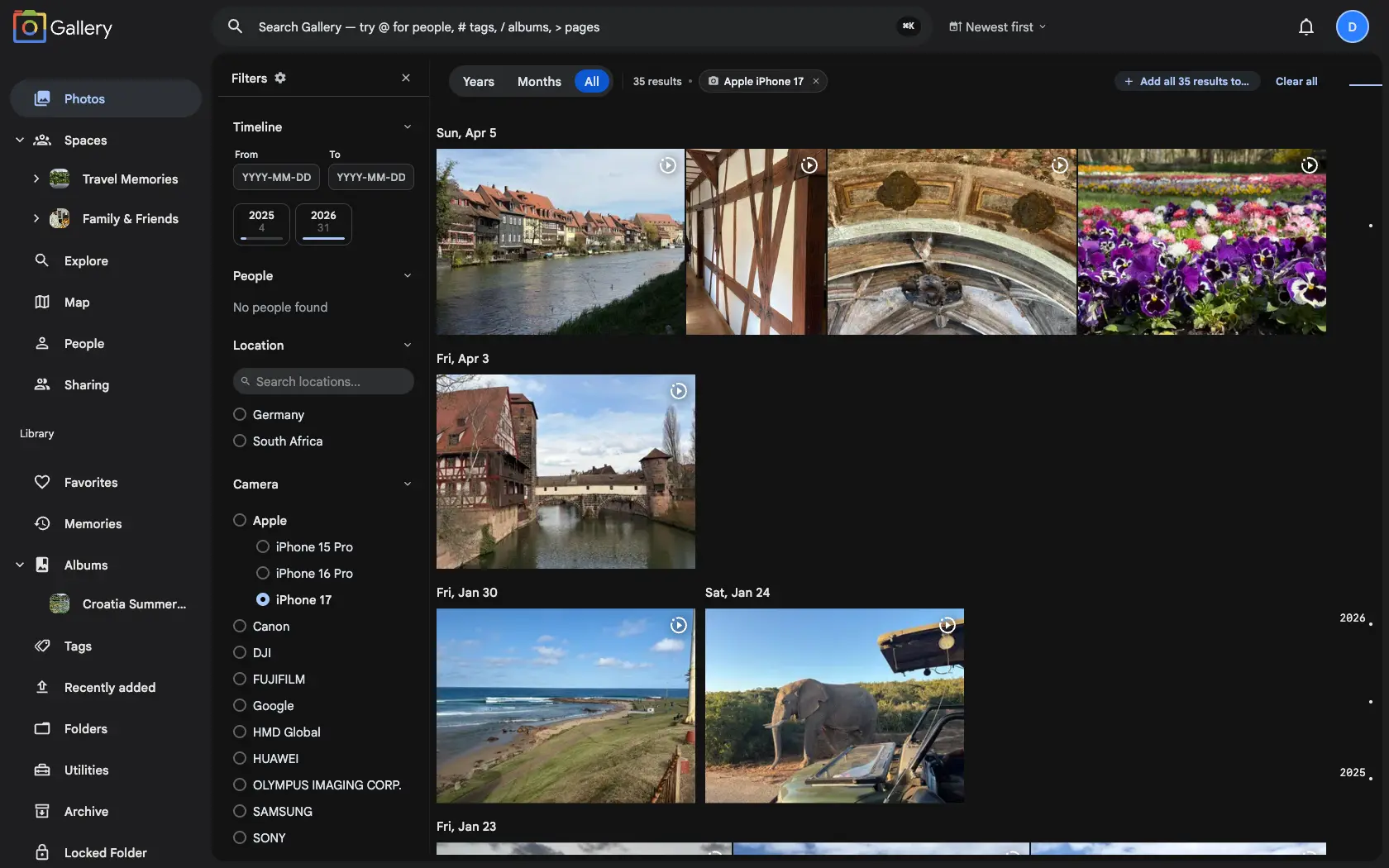
Now every one of those values is a filter. Click the camera and you get everything shot on it. Click the city and you get everything taken there. The date, the lens, the tag, the album, the filename, the contributor: same deal.
It filters where you already are
This is the part that makes it feel different from search. The filter applies to the surface you opened the photo from, so no separate results page opens. If you were in your timeline, your timeline narrows. If you were inside an album, a Shared Space, or on the map, that is what narrows, and the map keeps the viewport you had set.
So the question you are really asking gets answered in context: show me the photos in this space on this camera. Before, that meant building the query by hand.
Every action the info panel offered before is still there. Filtering was added alongside them.
Filters land in the URL
A contextual filter is a real filter. It goes into the address bar, which makes the filtered view shareable, bookmarkable and reachable with the back button, and it merges with any filters already applied.
Stacking works the way you would hope. Filter by a camera, open a photo from those results, filter by its city, and you have narrowed twice. Values that can only hold one answer replace rather than accumulate, so two clicks in a row never leave you looking at an empty screen. That property is guaranteed: filtering by a value on a photo always returns a set that still contains that photo.
Why it changes how the library feels
Structured search does everything this does, and almost nobody opens it. The info panel is a surface people were already looking at for another reason, so following a thread costs one click. One photo from a trip becomes that whole city. One shot on the old camera becomes the year you carried it.
It pairs with Interdependent filtering, which keeps the filter panel's options honest as you narrow, and with Inline search filters when you would rather type the query than click your way into it.