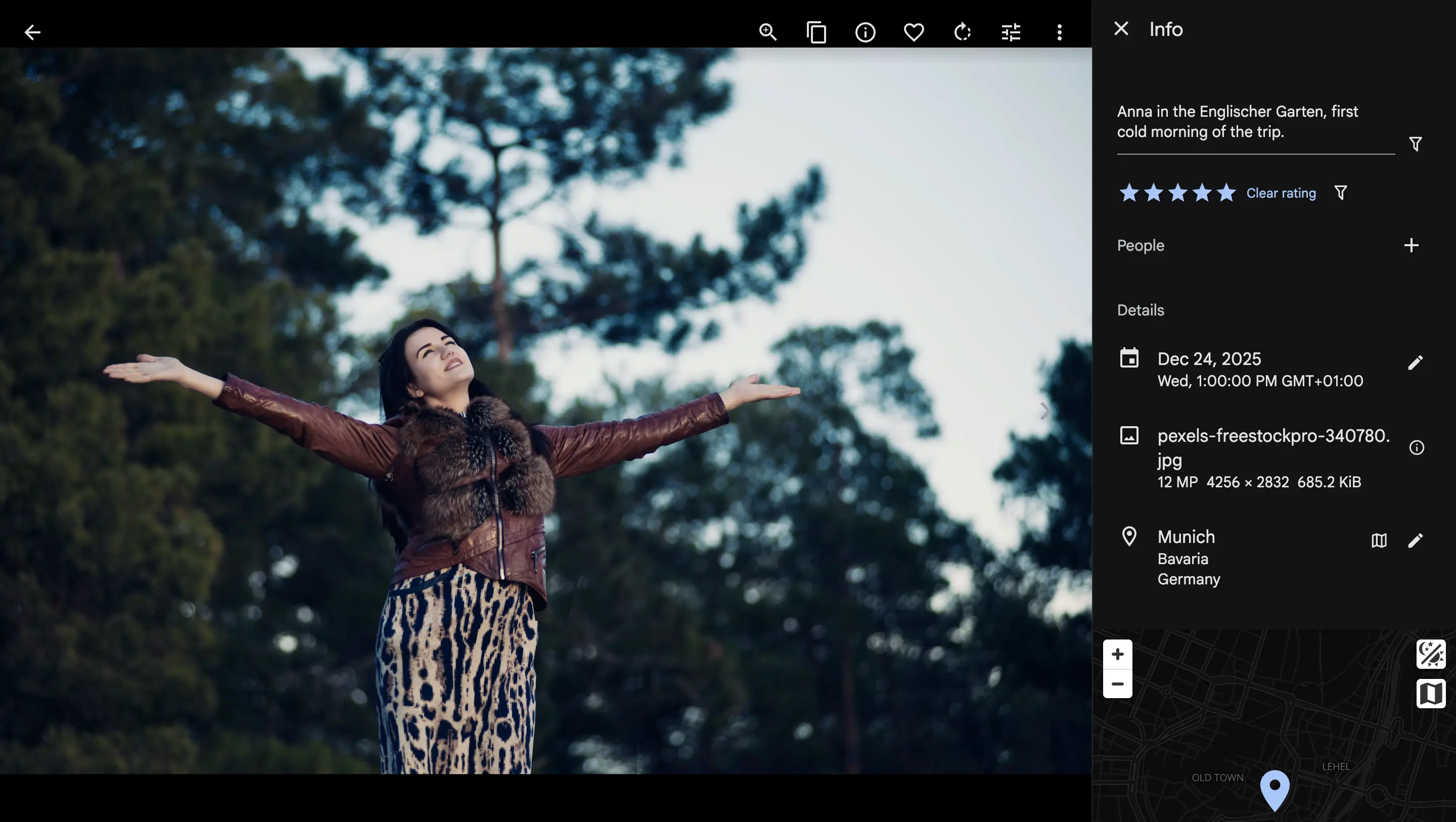
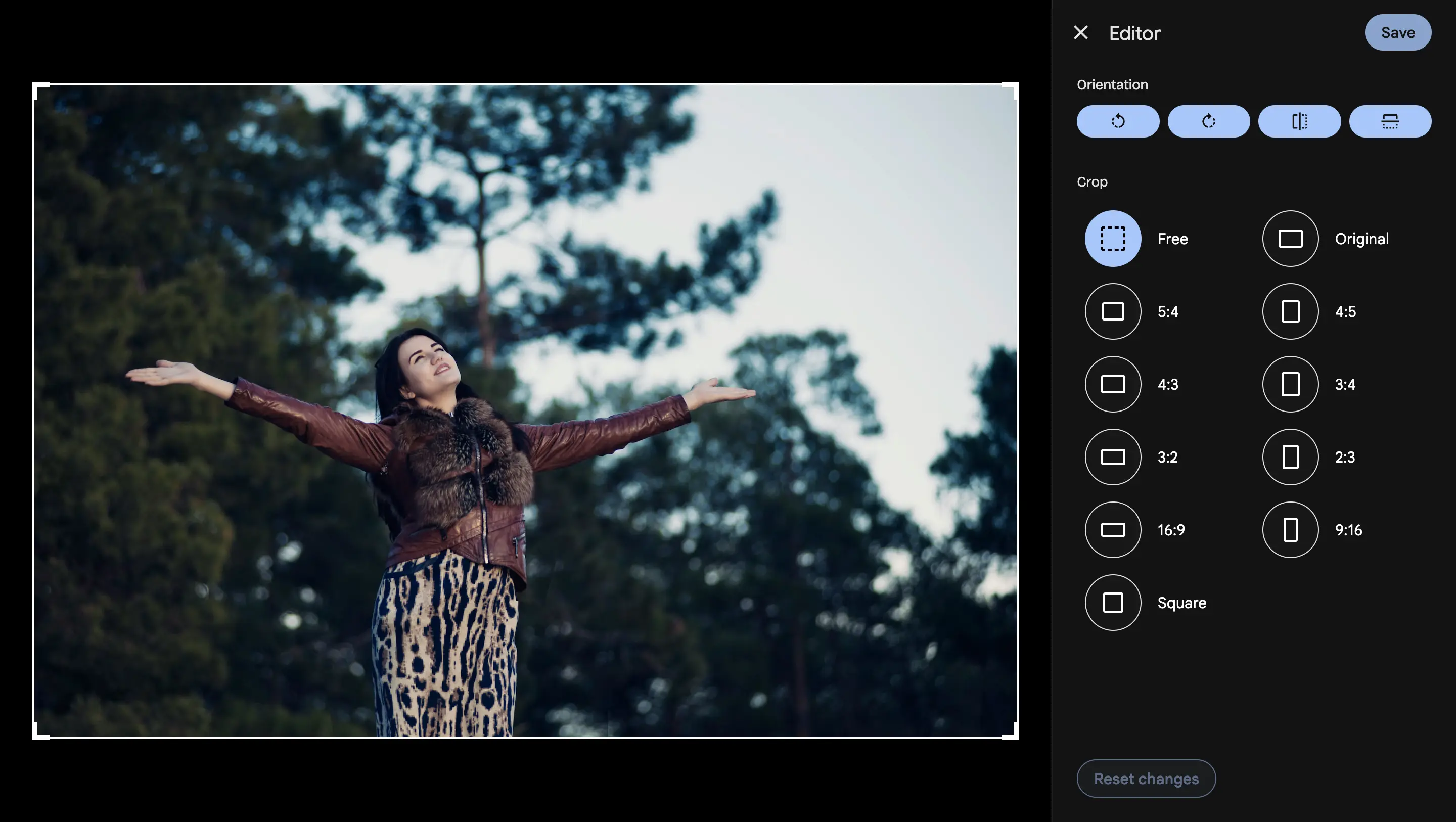
An Owner or Editor of a Shared Space can now fix the photos other members put there: rotate and crop, correct the date and location, add a description, a rating or a tag. The photo's owner sees who changed what.
A Shared Space has always had an Editor role. Editors could add photos, remove them, set the cover and rename the space. What they could not do was touch a photo somebody else had contributed. A sideways scan, a camera clock left on the wrong timezone, a holiday photo with no location: if it was not yours, you could look at it and nothing more.
That is the wrong limit for a library several people are building together. The person who notices the mistake is rarely the person who uploaded the photo, and "message the owner and ask them to rotate it" is not a workflow anyone keeps up for long.
What an Owner or Editor can now do
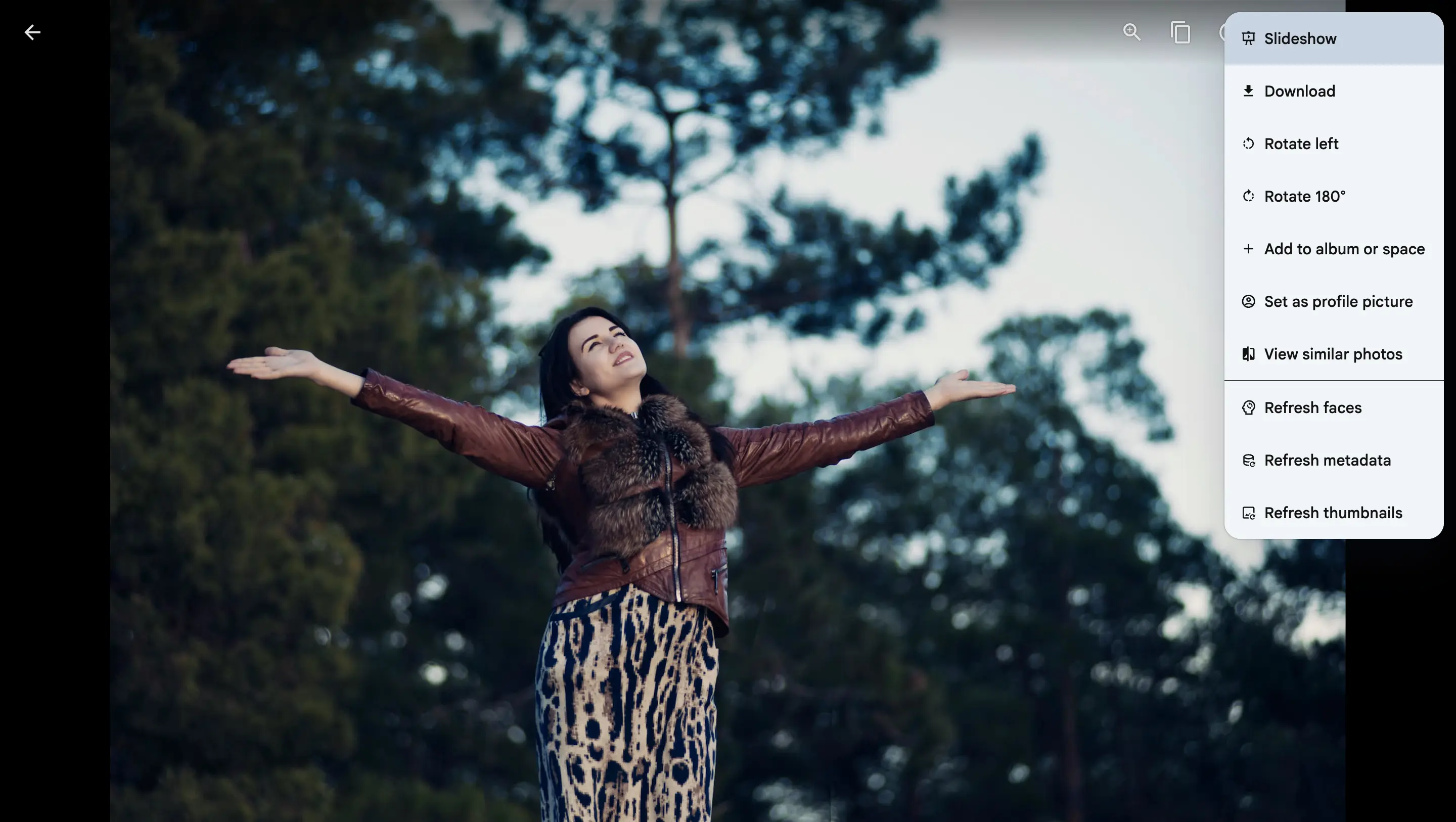
Open a member's photo inside the space and the viewer now offers the actions that used to be reserved for the photo's owner:
Rotate and crop, plus the full image editor and video trimming.
Description, date and location, each with the same edit controls an owner gets.
Rating and tags.
Re-processing jobs: refresh faces, metadata and thumbnails.
Bulk edits follow the same rule. Select a mixed batch in a space and the date, description, location, rotate and tag actions apply to the photos you are allowed to edit, then tell you how many were skipped.
What stays with the owner
Editing a photo is not the same as owning it, and the things that decide whether a photo exists, or who can see it, do not move. Delete, archive, visibility and stacking remain owner-only. An Editor is refused if they try, in the interface and at the API.
A Viewer gains nothing here. They still browse, download and search, exactly as before.
Joining the space is what grants it
The rule is short: you may edit a photo if you own it, or if you are an Owner or Editor of a space that shows it and the photo's owner is a member of that same space.
The second half matters. Authority comes from the owner having joined the space, not from a role handed to somebody else. Photos can reach a space from a person who never joined it, for example a partner's photo that a member added. Those stay untouchable by everyone but their owner, because that person never agreed to anything.
It also behaves the same however a photo arrived: added directly, through a connected library, or through a linked album.
You can see what changed, and who changed it
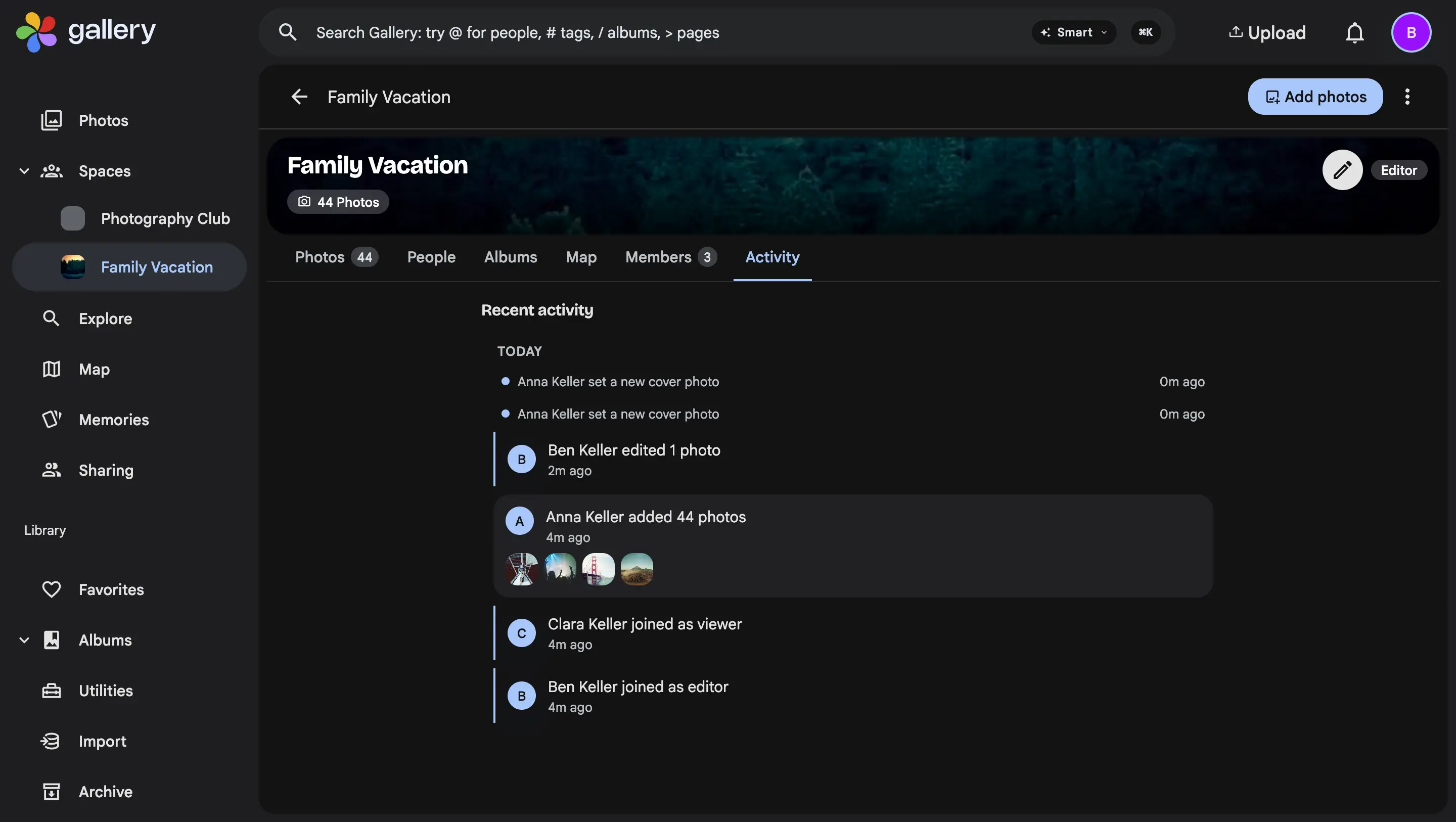
When an Editor changes your photo, the space's activity feed records it, with their name. Your own edits to your own photos log nothing, so the feed stays about things worth knowing.
Where it works today
This ships in the web app. The mobile apps follow.