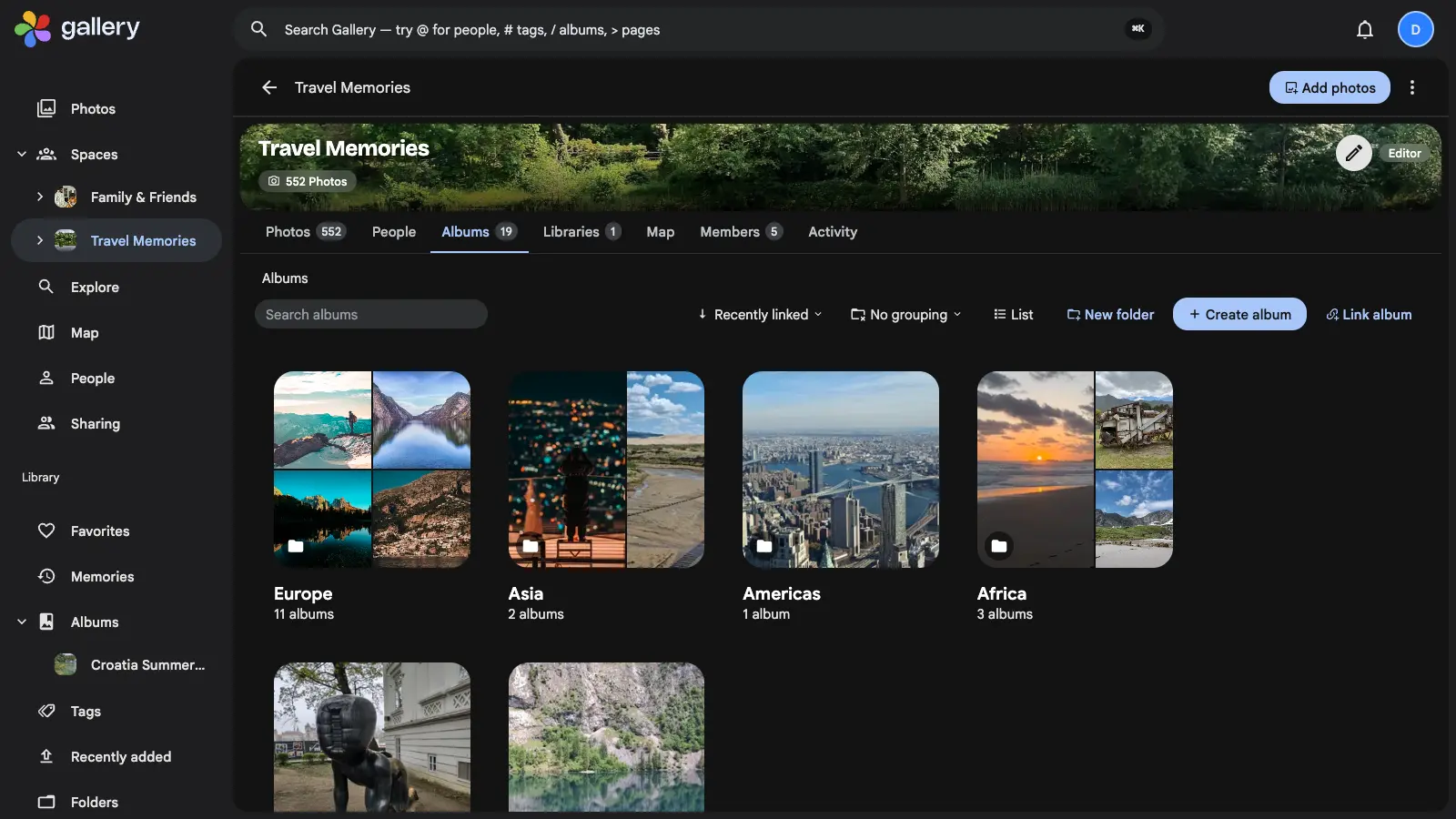
Nest a Shared Space's albums inside folders: group them by continent, trip or year, drag them where they belong, and give a space with twenty albums a shape every member can follow.
A shared space fills up faster than a personal one
Space albums gave every Shared Space its own Albums tab. That is the right shape for five albums. It is the wrong shape for twenty-five. Several people fill a space at once, so it accumulates faster than anything you organise alone, and the tab that felt tidy in January is a flat wall of covers by December.
Sorting and searching find an album you can already name. Seeing what a space holds is a different job, and it needs structure. A flat list has none to offer.
Folders, and folders inside folders
Album folders are a real tree. A folder holds albums, and it holds other folders, as deep as you care to go: Europe holds Italy, Italy holds the Dolomites, and the albums sit wherever they make sense along the way. Folders and albums live side by side on the same tab, so nothing has to be filed before it can be found.
Each folder card carries a cover mosaic drawn from the albums beneath it and a count of what is inside. It reads as a place. A breadcrumb across the top of the tab shows where you are and takes you back up in one click.
Everything the Albums tab already did still works inside a folder. The search box, the sort, the grouping and the list controls all come with you.
Editors arrange, everyone browses
Creating, renaming, moving and deleting folders is an Editor's job. It is the same permission that already governs linking and creating albums in a space. Editors get a New folder button, and dragging an album card straight onto a folder files it. Viewers browse. They cannot rearrange the space under everyone else's feet.
Deleting a folder never deletes what is in it. The albums and subfolders it held are promoted up to where the folder was, so a mis-named folder can go without a moment's thought about what it might take with it.
Built for more than one person moving things at once
A shared space has several editors. Sooner or later two of them reorganise it in the same minute. Each move is serialised per space and re-checks the tree as it commits, so a folder cannot be dragged inside its own descendant and end up in a loop that nothing can reach. Delete a folder while someone else is filing an album into it and that one write fails cleanly, instead of leaving the album pointing at something that no longer exists.
On the phone as well
The Gallery mobile app browses the same tree, with the same breadcrumb. A space organised on a laptop opens organised on a phone, which is where most people actually look at a shared space.
It pairs with Bulk add for getting a back catalogue into a space in the first place. Workflows for Shared Spaces keeps it fed once the structure is there.