Automation stopped at the space boundary
Workflows already did the filing nobody wants to do by hand. A photo arrives, a rule looks at it, and the screenshots get archived, the scans get locked, the drone shots go to their album.
Every one of those actions worked on your own library, and only there. Make the destination a Shared Space and the automation stopped. Back to selecting photos by hand. Those are the photos other people are actually waiting for.
Two new actions
Add to space contributes the photo to one or more Shared Spaces as it arrives. Pick the spaces once. Every future photo the rule matches shows up for everyone in them.
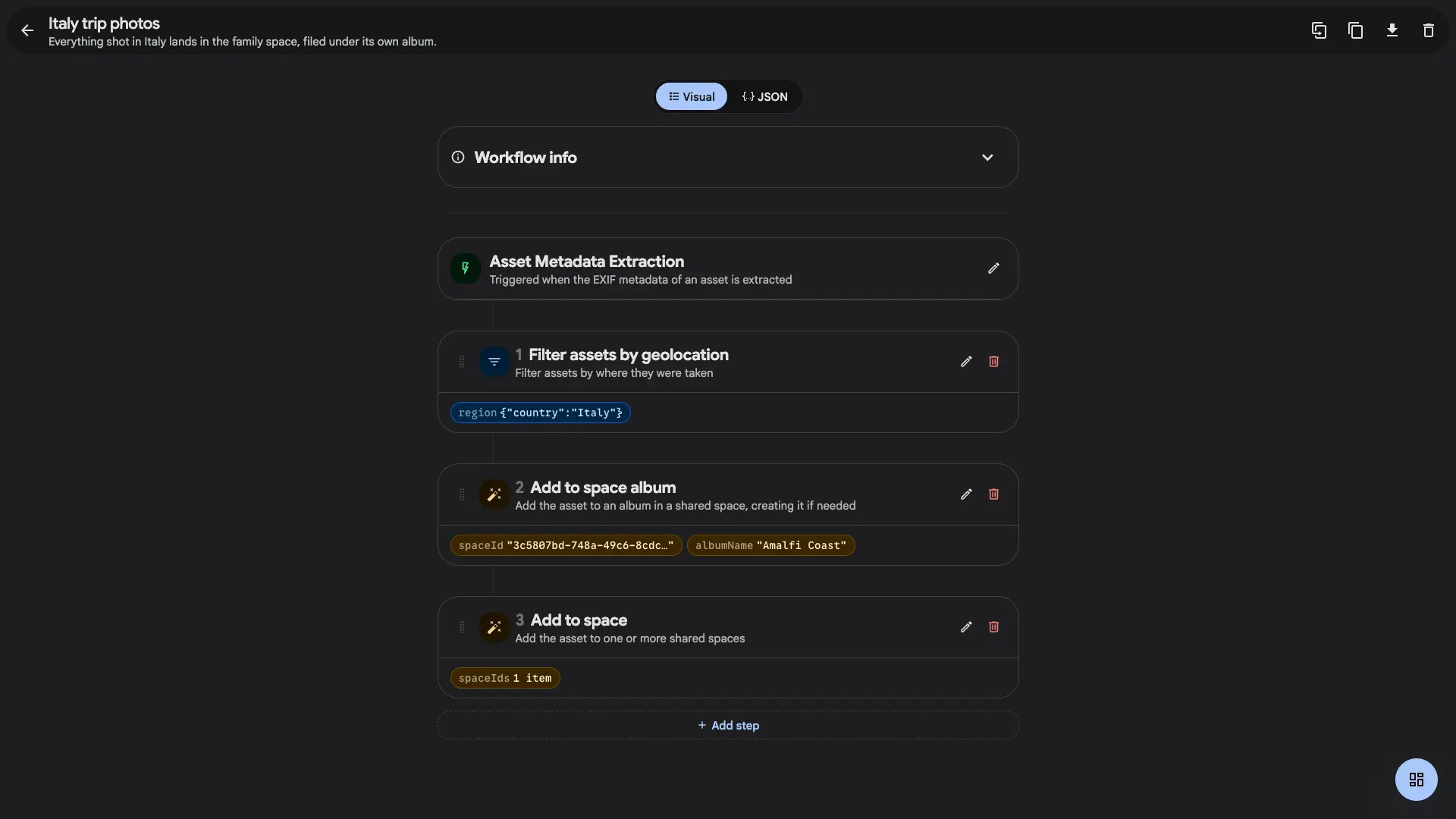
Add to space album goes a level deeper. It files the photo into a named album inside a space, and if that album does not exist yet, the workflow creates it and links it in. So a rule can be written before the album it needs. The first matching photo brings the album into being.
Both chain with everything workflows already had. Trigger on upload or after metadata is read, narrow with filters on filename, path, EXIF, date, type or location, then hand off to a space. Filter to photos taken in Italy and file them into an "Amalfi Coast" album in the family space, and the trip organises itself while you are still unpacking.
It respects who you are in the space
A workflow acts as you, so it can only put photos where you could have put them yourself. A rule cannot contribute to a space you are not a member of. A step that cannot run is skipped and logged instead of failing the whole workflow, and the later steps still get their turn.
That matters. A workflow runs unattended, sometimes months after you wrote it, and space membership changes in the meantime.
What it is good for
The obvious one is a trip: everyone's photos landing in a shared album without a single person remembering to add them. The quieter one is the standing arrangement. Every photo of the kids into the grandparents' space. Every photo from the club camera into the club's space. That kind of sharing works well for a fortnight and then stops, because it depended on someone remembering.
It pairs with Space albums for the structure. Bulk add handles the back catalogue you want to move in one go.