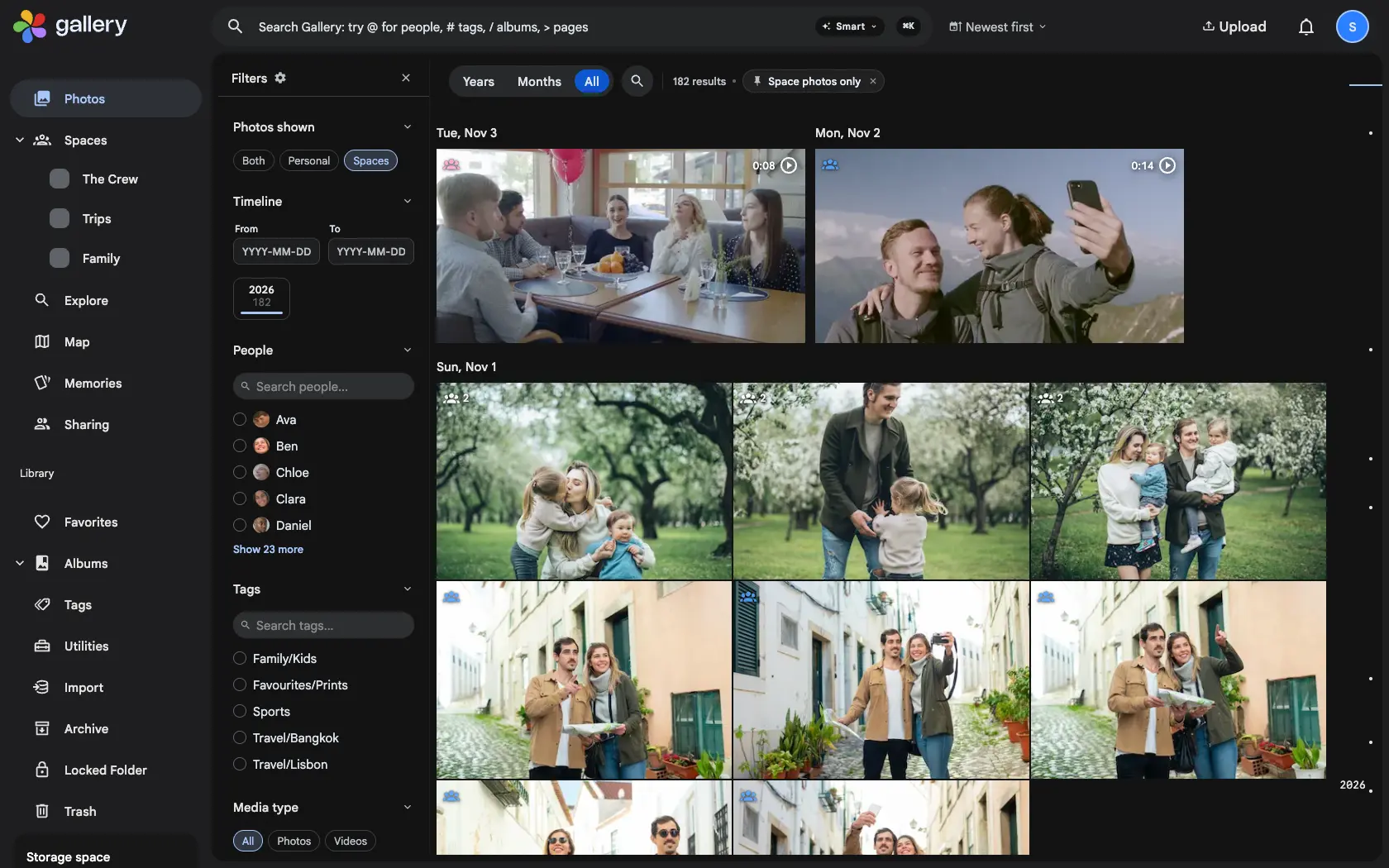
Shared Spaces on your timeline are what make Gallery feel like one family library. They also mean Photos holds two different things: the pictures you took, and everything other people put in a Space you belong to. When you are looking for your own shots, or catching up on what the family added, the other half is in the way.
Both, Personal or Spaces
Open the filter panel on Photos and its first section, Photos shown, has three choices. Both is the timeline as it always was. Personal shows your photos that are in no Space. Spaces shows everything that reaches you through your Spaces, your own photos in them included. When the view narrows the timeline, a pinned chip in the filter bar says so, and Clear all leaves it alone. In the app the same choice sits in the display menu next to the grouping, and search counts follow the view.
A badge for every Space
A photo that is in one of your Spaces gets a small badge in its corner, in that Space's colour. A photo in several Spaces shows a count instead. The badge counts every way a photo can reach a Space, a linked album or library included, and it follows your changes straight away, on the web and in the app.
Take a photo back out
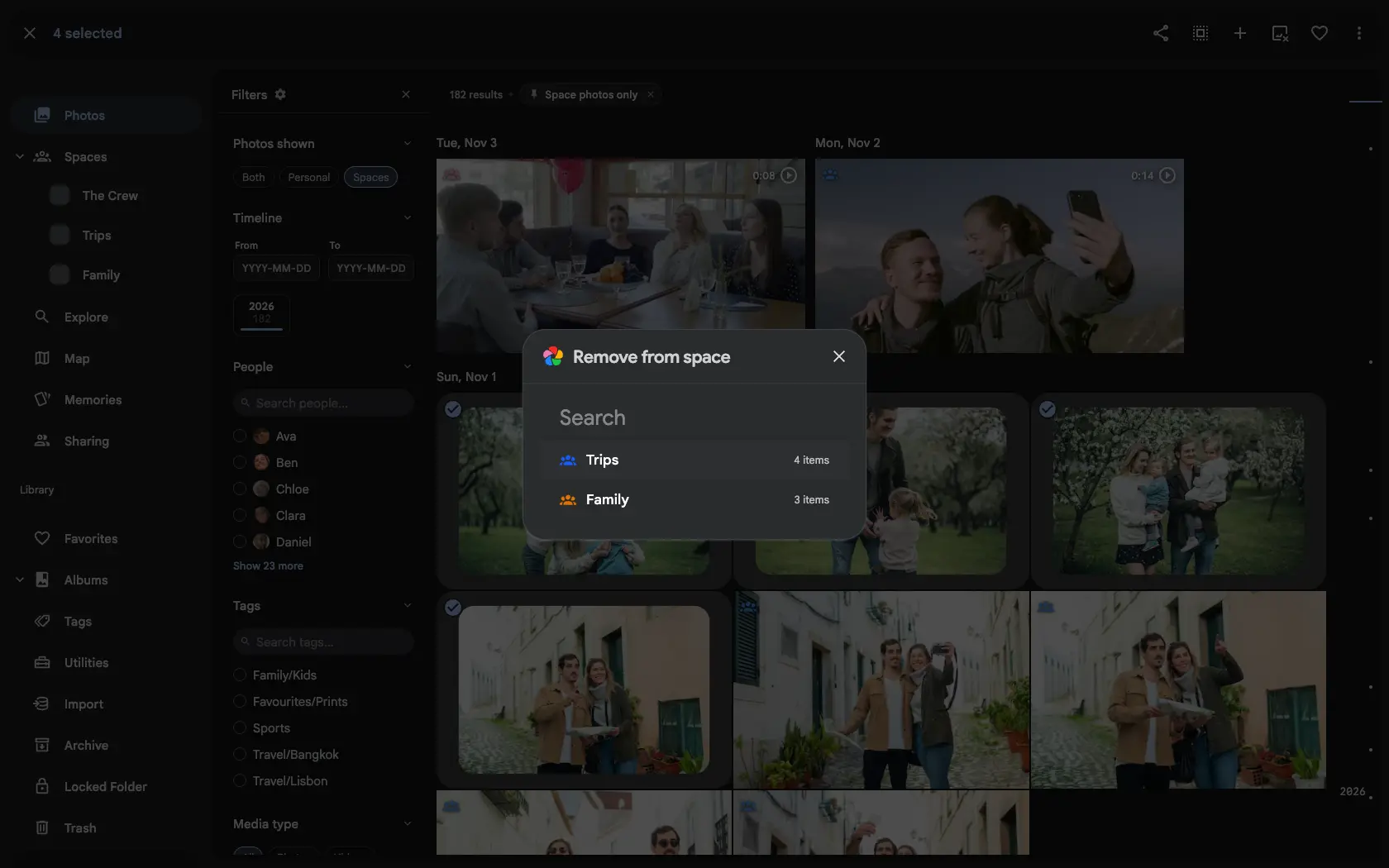
Select photos on Photos and choose Remove from a space. If they are in one Space you own or edit, that is the whole step. If they are in several, a picker lists each Space with its colour and how many of the selected photos it holds. A photo that stays because a linked album or library still holds it is named, so you know why.